KLM
KLM Royal Dutch Airlines, founded in 1919, is the national airline of the Netherlands. It's one of the world's oldest airlines still operating under its original name, renowned for its extensive international network.
Redesign of the KLM screens
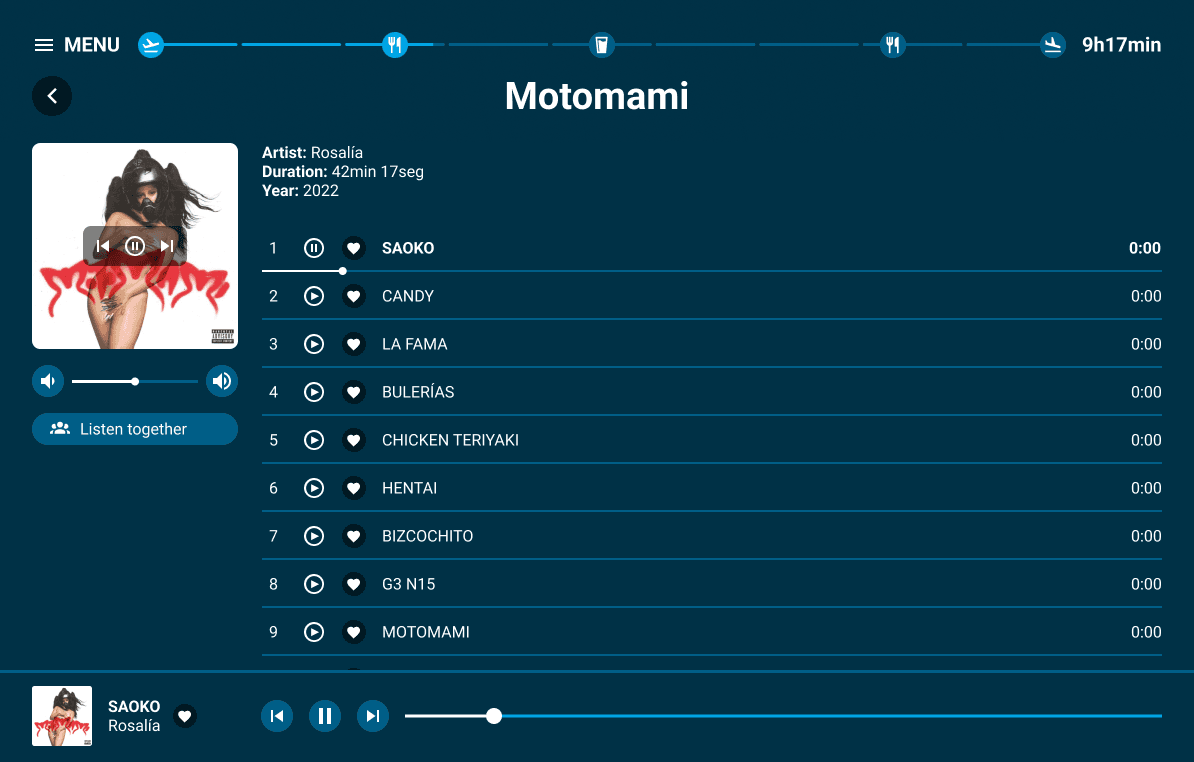
Background
Earlier this year I went on my first international flight to enjoy the amazing city of Rio de Janeiro and experience Brazilian carnival for the first time.
As I boarded my flight alone and searched for entertainment for the next 11 hours, I couldn’t help but think “This is horrible!”. Browsing through movies was a lengthy and tiresome process, it was hard to use the movie player and I clicked buttons thinking they would have a certain function, but something unexpected would happen instead.
I watched the older couple sitting next to me struggling to watch a movie together, and accidentally clicking the timeline when they wanted to adjust volume and other settings.
Overall I thought the process was lacklustre, and started thinking of ways to improve this experience.
Project goal
The goal was to redesign some of the key features of the KLM flight entertainment experience, so that using their screens is more enjoyable than confusing. Following their current visual identity, I aimed to:
Improve navigation across pages
Introduce features for watching movies or listening to music together
Redesign a better movie player
Provide better information about the flight
Facilitate browsing through media through a search engine
Connect passengers on the flight through a chat system
Assessing frustrations
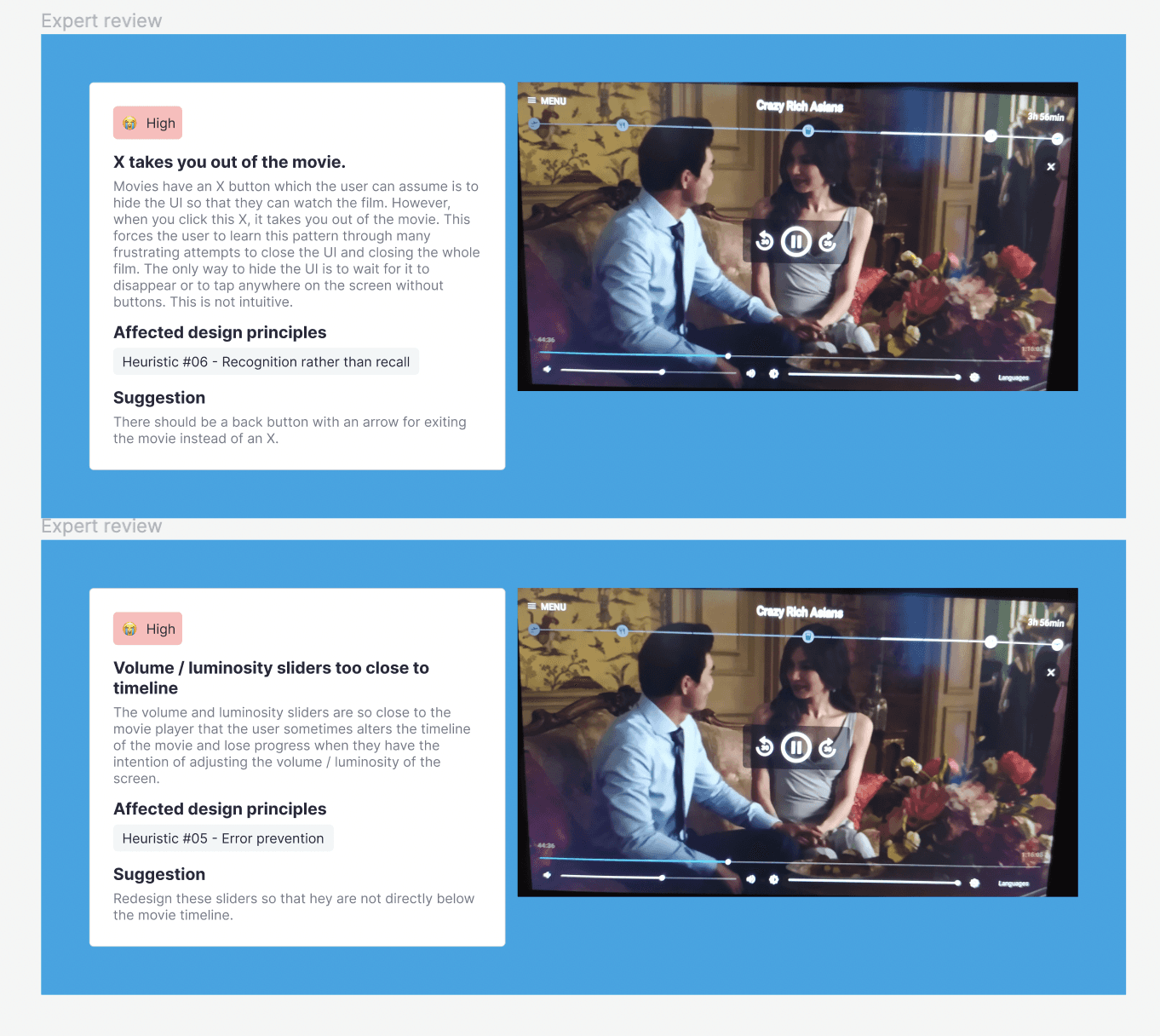
Expert review boards
Expert review
I took note of my experience and consolidated the most pressing issues I found during the flight:
It’s hard to search for specific movies or albums
There is no music player outside the album page and menu
There is no “continue watching section” on the movie page, so you have to manually find your movie again if you want to keep watching it
Back function is not always clear
Volume and luminosity sliders are too close to the timeline in movies
Inconsistent patterns
Carousel has limited interactions
Inconsistent terminology across pages (“Now playing” instead of “continue watching”, etc)
Establishing the user needs
User interview
Collecting passengers’ thoughts
I wanted to understand if other users had encountered the same frustrations as me and gather their ideas. I decided to interview a select group of people who had recently gone on international flights with the aim to asses:
How do other flyers use these screens?
What are some of the biggest frustrations they have encountered?
Are there any specific features they would like to find on flights?
What did their best experiences have in common?
Insights
Participants always use the screen, mostly for movies or listening to music
They frequently look for information about the flight such as flight duration and status and where the plane is at any given time
Users like to watch movies that have not reached streaming services yet
Users don’t watch movies that they think are “too good” for the quality of the screens provided by the airline, which they often find to be bad
Users find that these screens often have poor performance and are not very responsive
They expect to be able to always find subtitles in the top 5 spoken languages in the world
Some users find it valuable to be able to watch live sports
User Pain Points
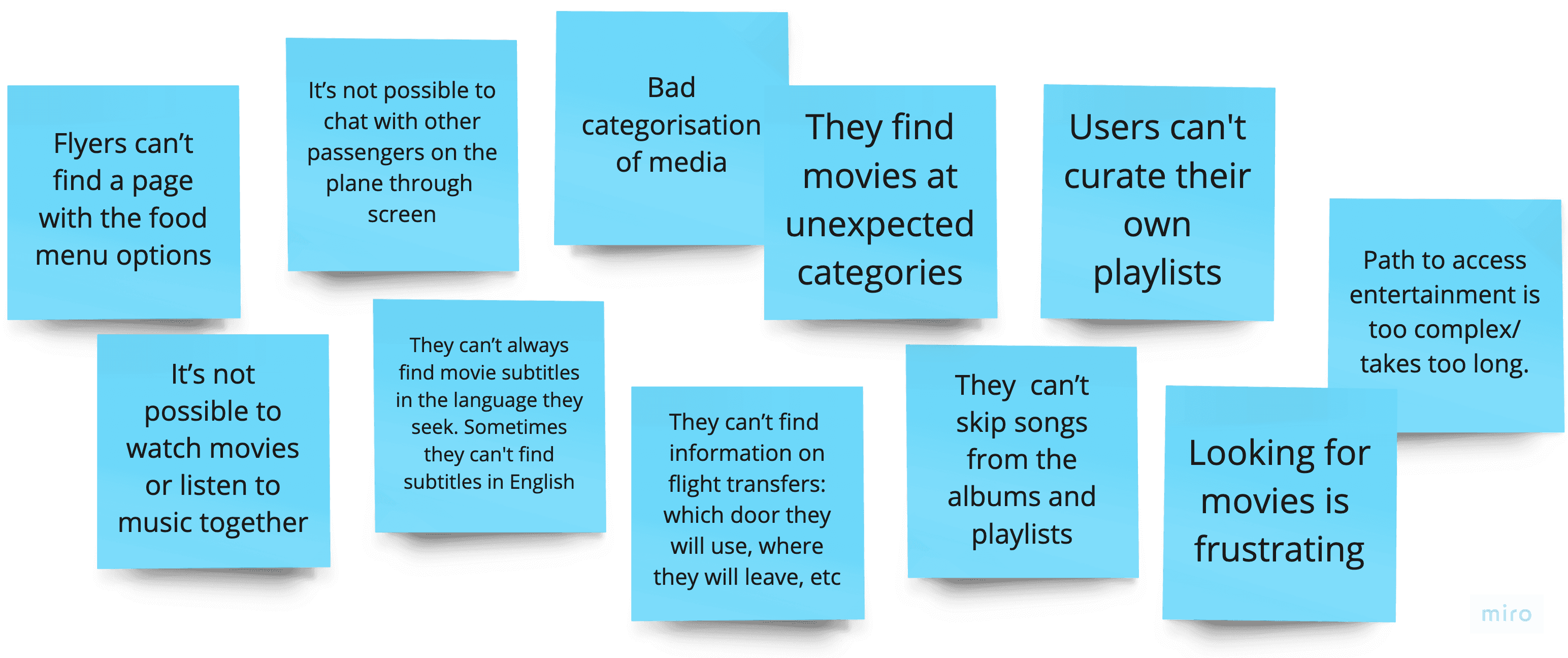
Flyers often put the KLM flight entertainment screens in a mid-tier experience. They find the UI to be clean, but find that the navigation is not entirely clear. Furthermore, they wish for more media types and more flexibility in communicating with other passengers.
The redesign
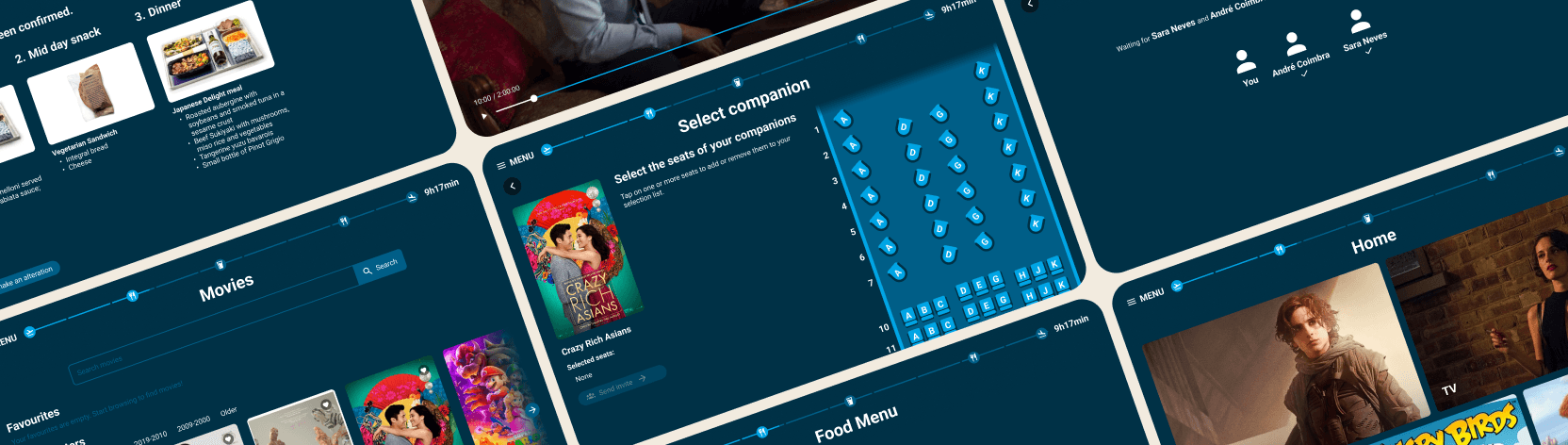
Goal
After the research process, it became clear that the goal of my redesign should focus on resolving the most pressing pain points that were pointed out by the users:
Allow users to use a search engine in order to find entertainment
Inform users of the meals on board
Allow users to watch movies together and connect with each other
Propose a new movie player with clearer navigation
Introduce a music player across screens
Improve the usability of their carousel across pages
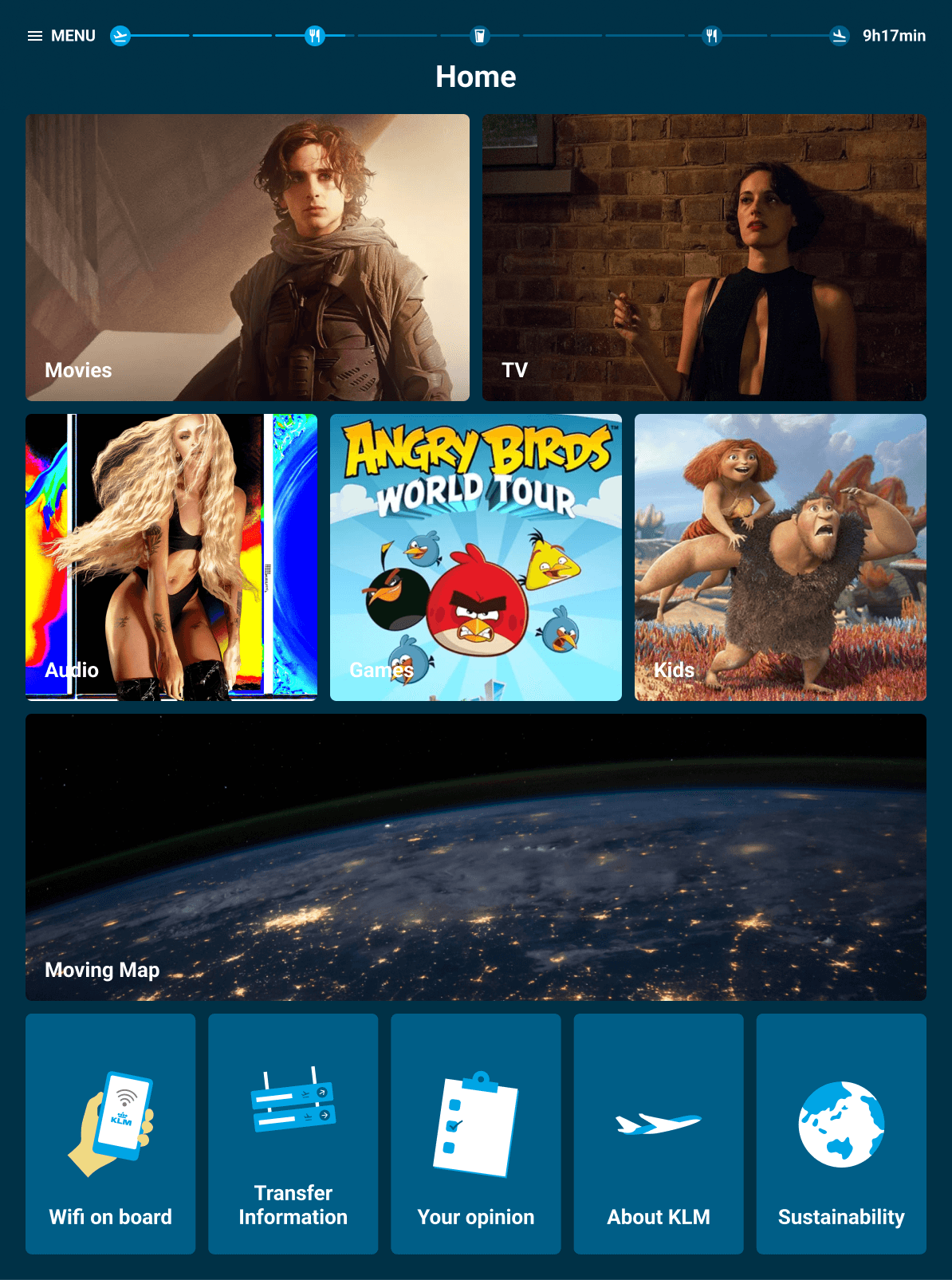
Home screen
Homepage
On this page I made UI changes that can be seen across all of the screens that follow, such as:
Moved the flight information bar to the top of the screen. This allowed the back button to align with the title of the page, making the navigation clearer for the user
Moved all back buttons to the left of the screen
Made color changes to the top bar that make the flight information easier to read
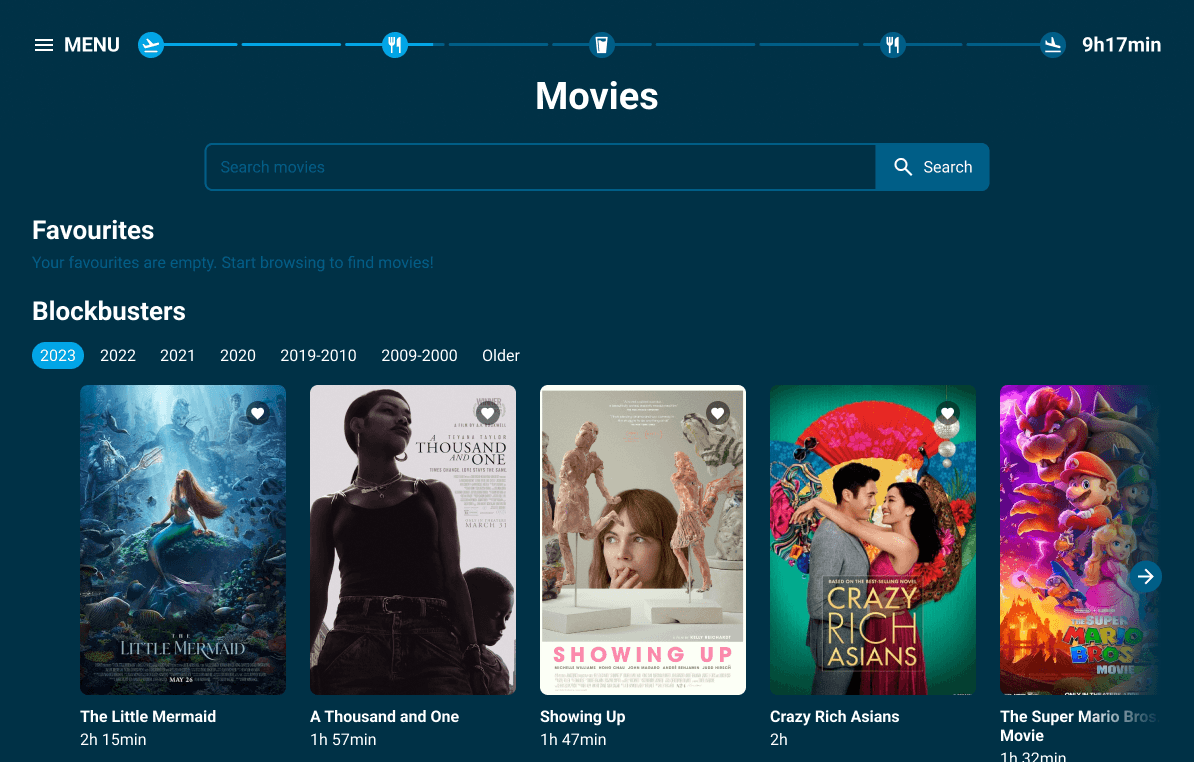
Movie selection screen
Movies
The redesign of this page focuses on:
Adding a search functionality for easy access to the movies
Added a functionality that allows you to watch a movie with other passengers simultaneously
Introduced a chat functionality during the movie player that can be used when passengers are watching movies together
Improving the carousel by introducing the possibility to use arrows to navigate alongside the option to use your fingers to scroll
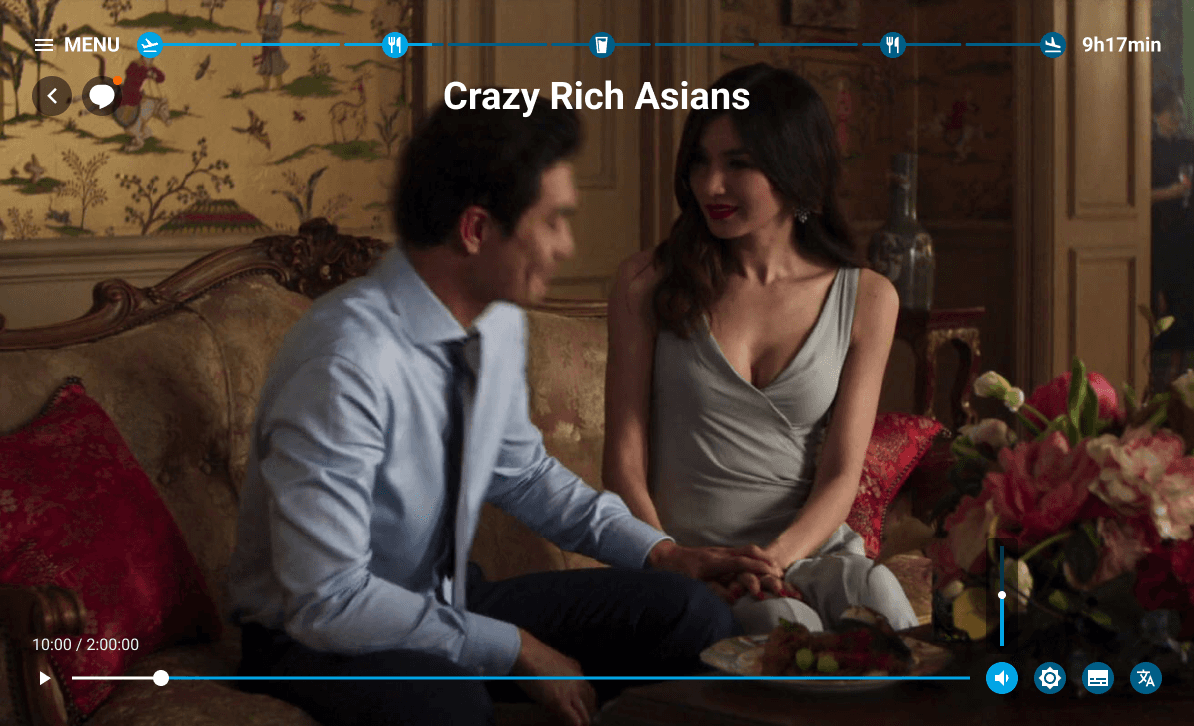
Movie player screen
Movie player
I solved some of the usability issues of the movie player by:
Moved the volume / luminosity / language / subtitle functionalities to the right of the player bar and made them collapsable
Introduced a chat functionality during the movie player that can be used when passengers are watching movies together
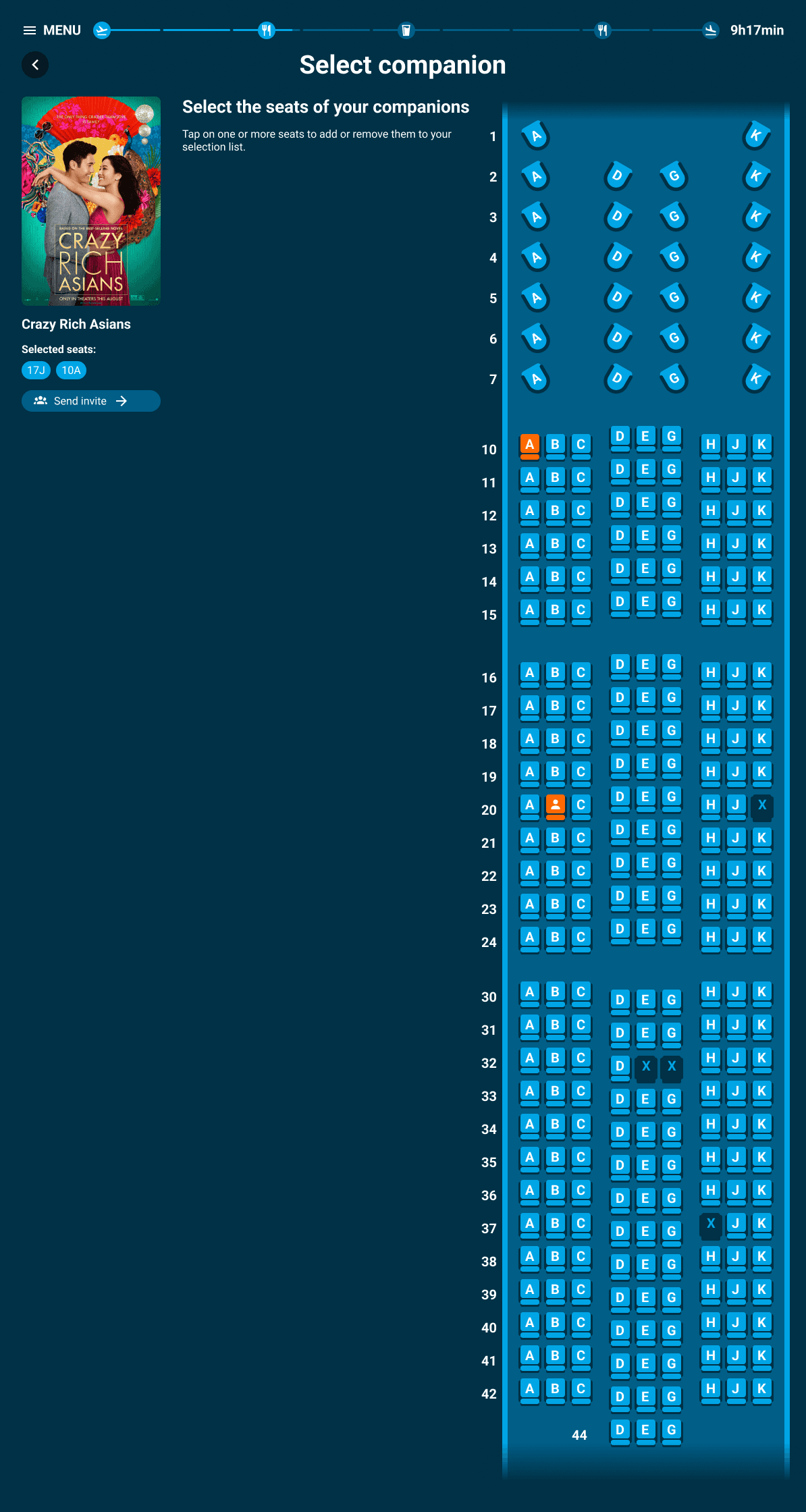
Select companion screen
Seat selection
Added a functionality that allows you to watch a movie with other passengers simultaneously
Album screen
Music
The redesign of this page focuses on:
Adding all the same functions as the movie page - search bar, possibility to listen to albums together and chat and improved carousel
Created a music player that can stay with the user across pages while they’re listening to music
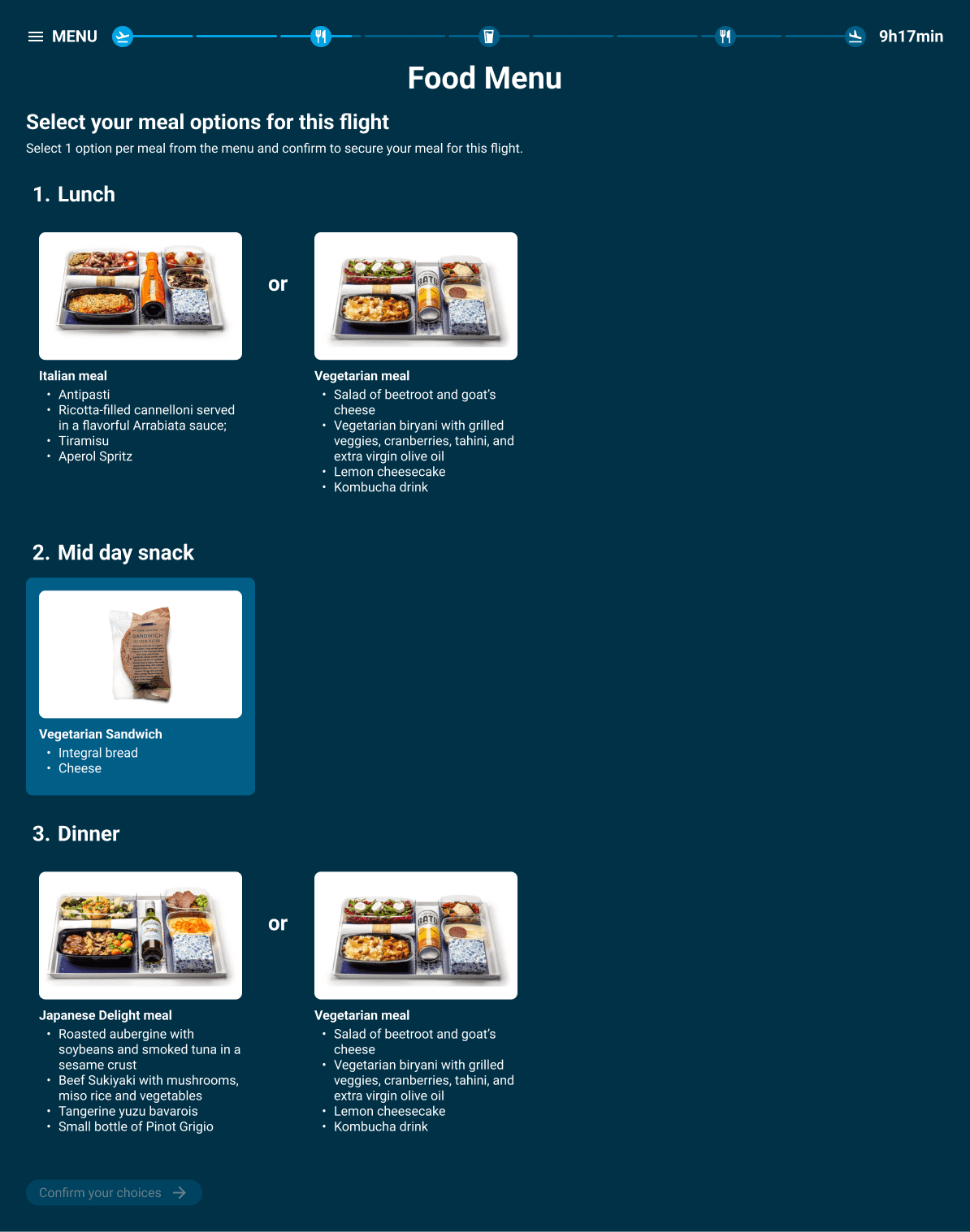
Food selection screen
Food Menu
Given that some participants in the interview mentioned they would like to have access to a food menu where they could see the meal offer and select their food, I decided to design an extra concept. The food menu screen includes:
Information about the meals available on the flight
Possibility to select your meal
Possibility to alter your meal
This is a first draft of the concept. Ideally this concept would get tested and also include scenarios such as:
What the user sees when their preferred meal has already been fully selected by other passengers
What the user sees when trying to alter their choice, but their other choice has already been fully selected by other passengers