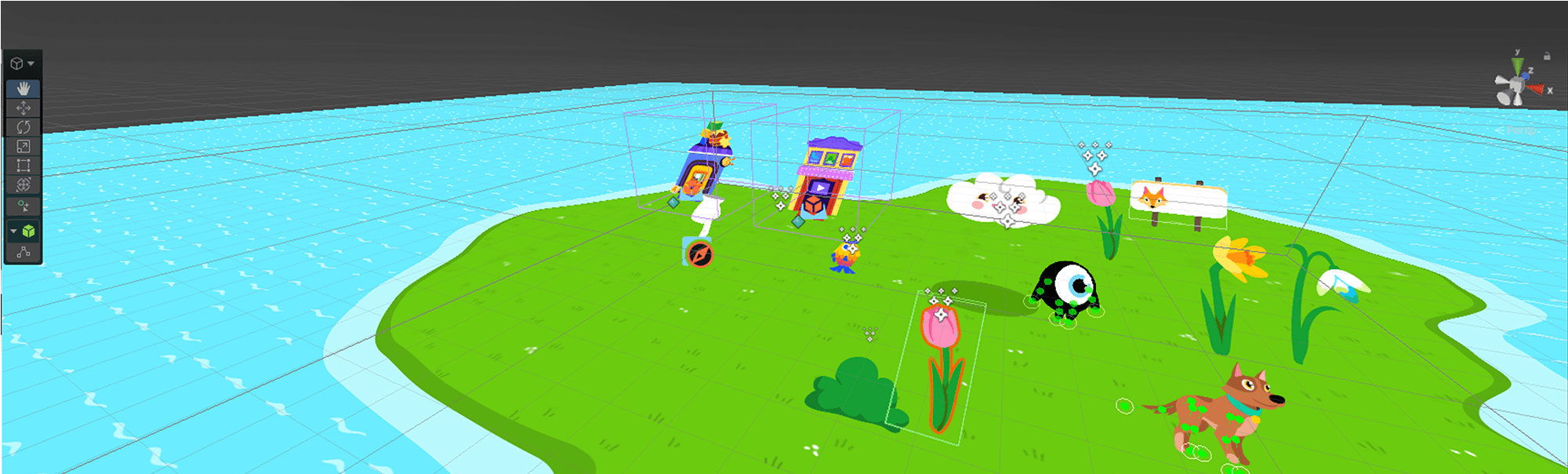
Squla Case Study
The new Squla platform is a learning app built in Unity that turns screen time into fun learning for kids aged 3 to 6. It promotes confidence through imaginative world-building with open-ended play, and adapts to each child’s needs while giving parents an easy way to manage screen time supporting their childhood development.
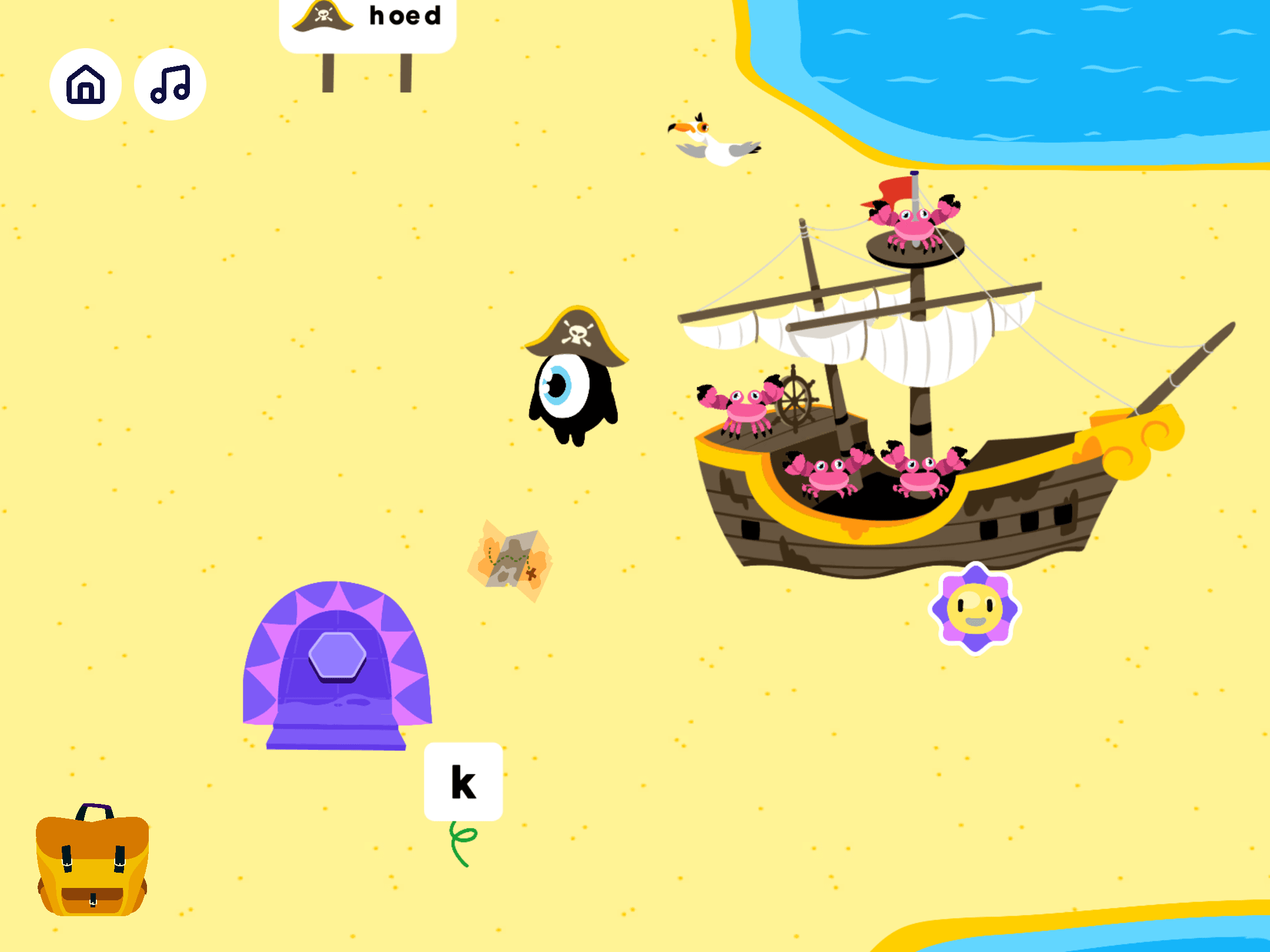
World view of the pirate beach
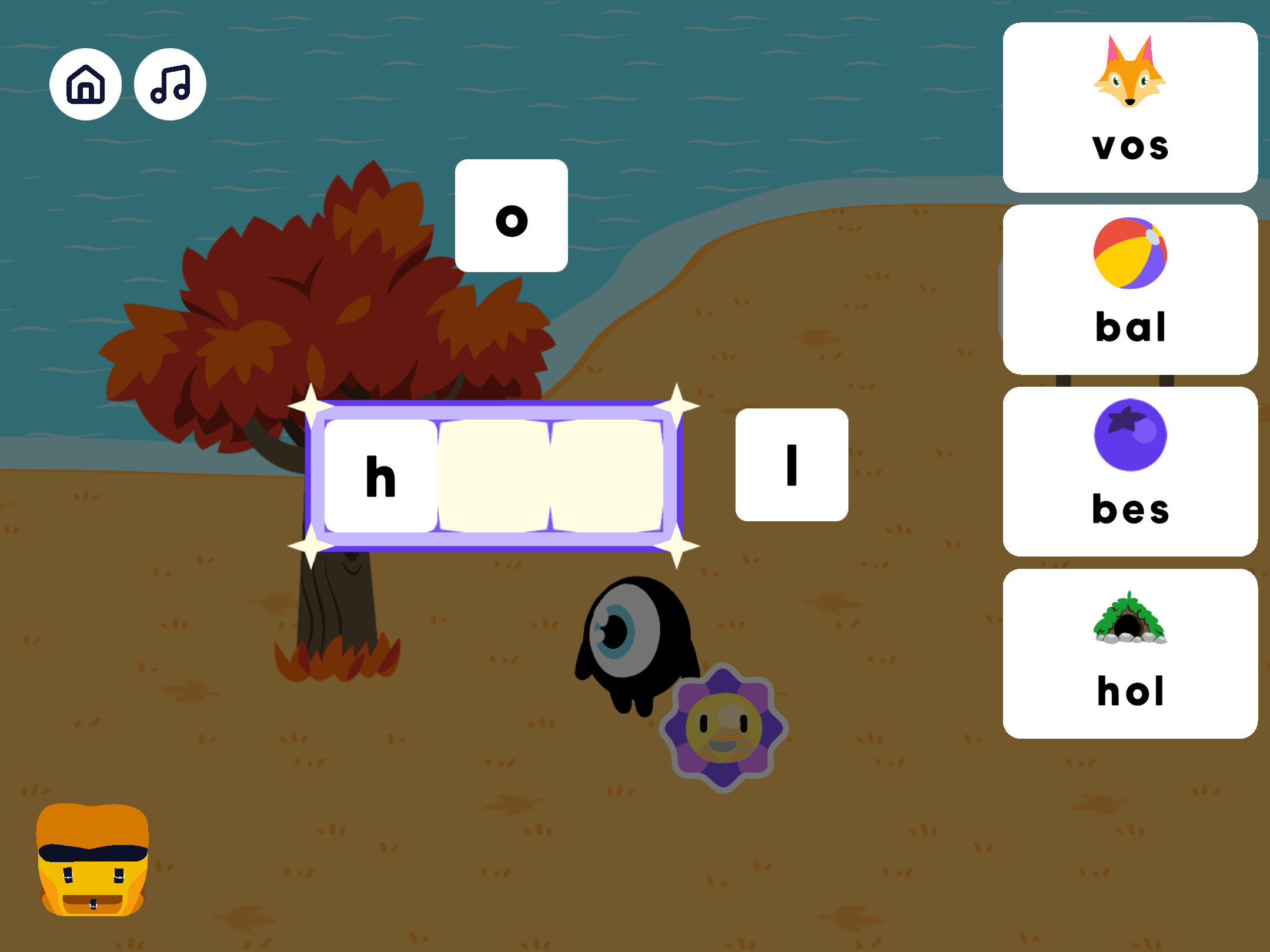
In building mode, you can create elements by assembling graphemes or shapes
Core mechanics
Children discover new worlds by unlocking elements and interacting with them. These elements can be assembled by combining specific shapes, colors, or graphemes.
As the child brings each world to life, they uncover educational videos, mini games, fun adventures and interactions to explore.
Team
Product Owner · Unity Developers · Back-end Developers · Educational Expert · Game Designer · Technical Artist
Role - Technical Artist
Responsible for bridging art, design and engineering, supporting scalable content production:
Visual Development and illustration
Scene setup and asset integration in Unity
2D rigging and animation systems
Tools and pipeline development
C# script integration with backend systems
Asset setup (models, textures, animation)
UI design and implementation
Mobile and tablet optimization
2. World Building
Creating a visual language
The visual style is bold, colorful and playful. Inspired by the logic of a child’s imagination, objects are intentionally stylized and nonsensical. A confetti piñata can be a fish in the forest, a seagull pirate can have a parrot companion, a flower can be a trampoline. Ordinary elements are designed to feel alive and exciting to interact with.
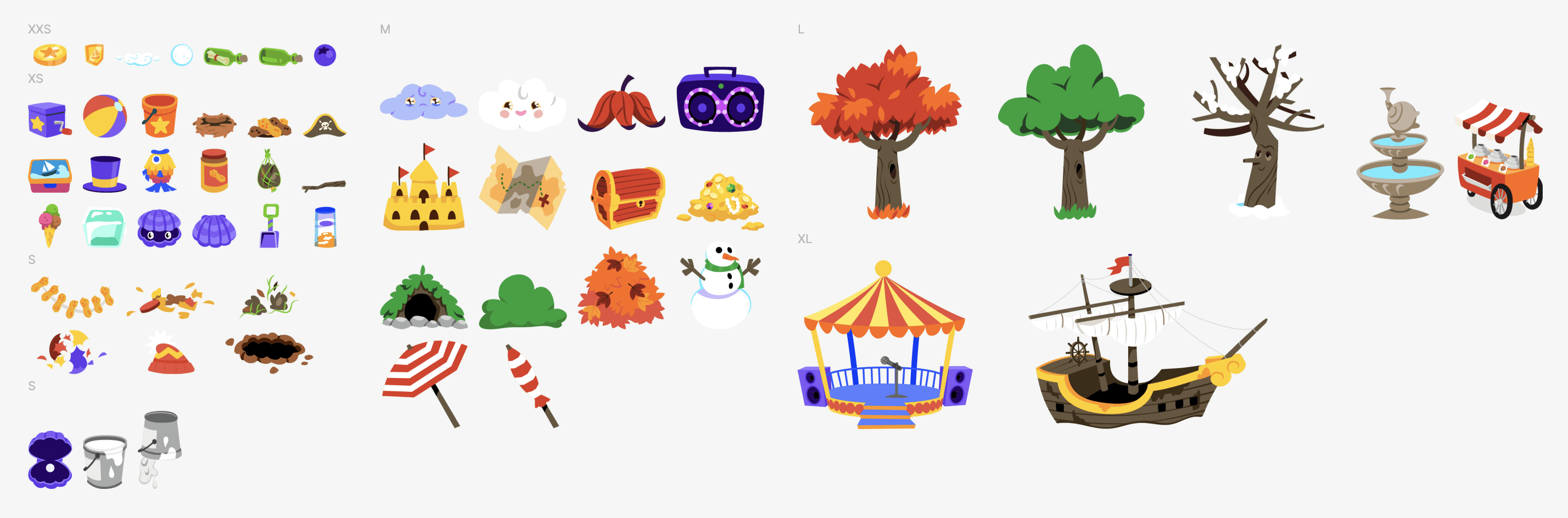
Game element sample
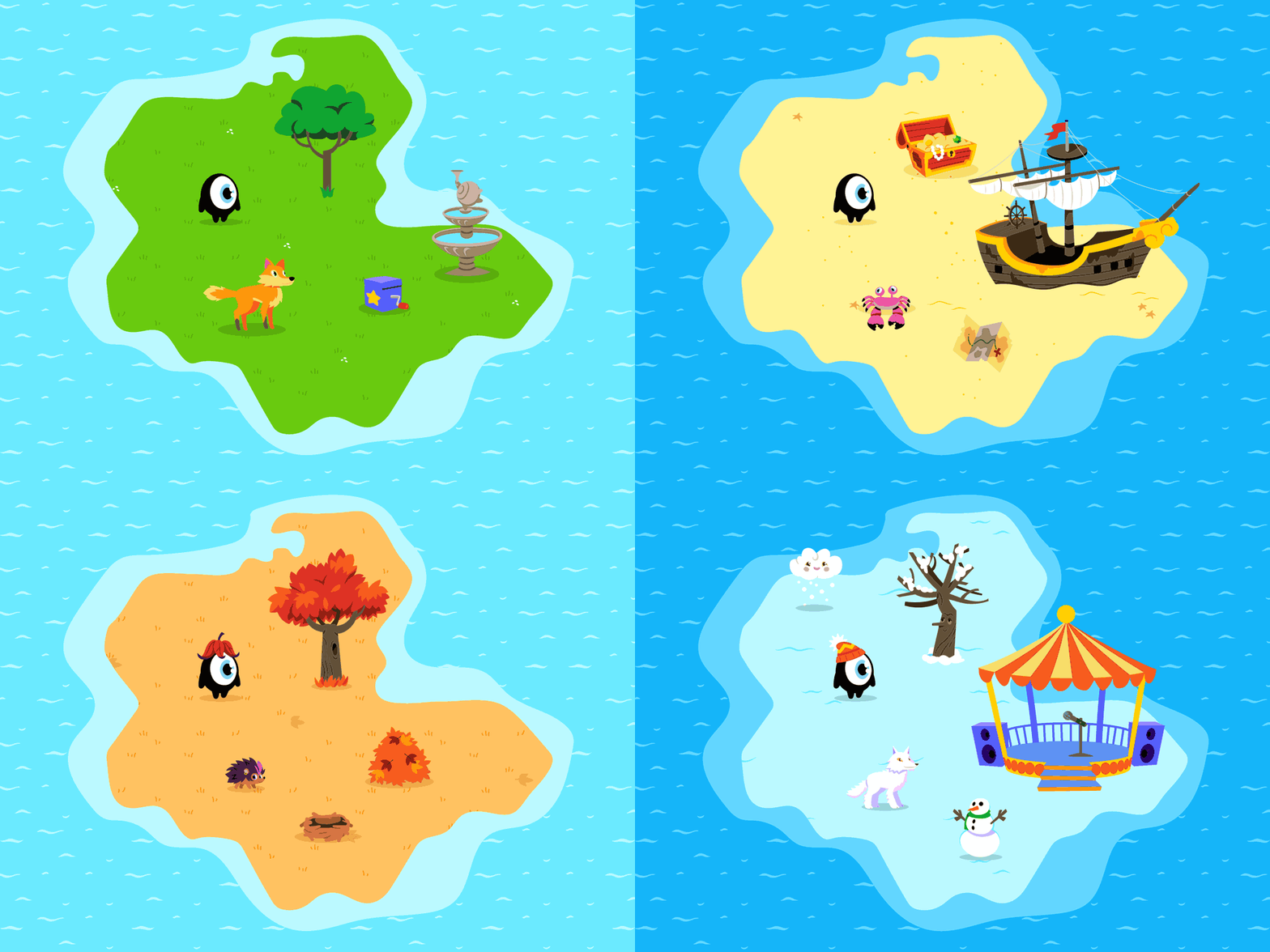
World areas: Spring forest, Beach, Autumn Forest, Snow world
Concepts
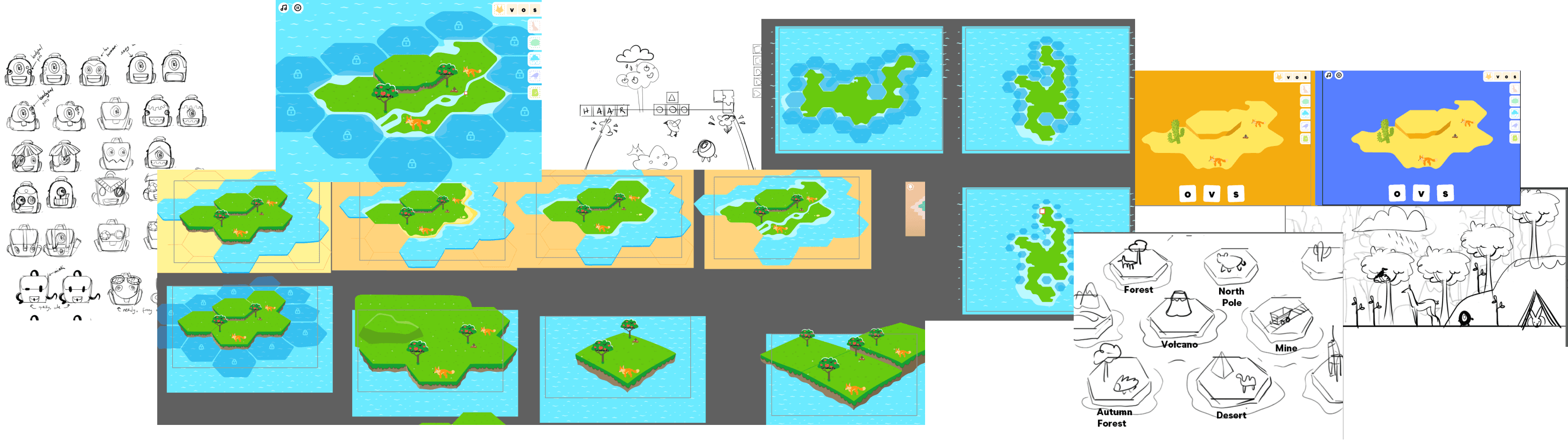
Documenting the visual style
To ensure consistency and scalability, I documented the visual direction for the team and future contributors. This included not only our choices, but why we chose them against other possibilites. Some of our key considerations included:
Why choose vector-based workflow vs 3D or digitally painted assets
Advantages of flat-style vectors over gradients
Impact of art style on scalability and reusability of assets
How to apply perspective and how it affects users’ perception of the game
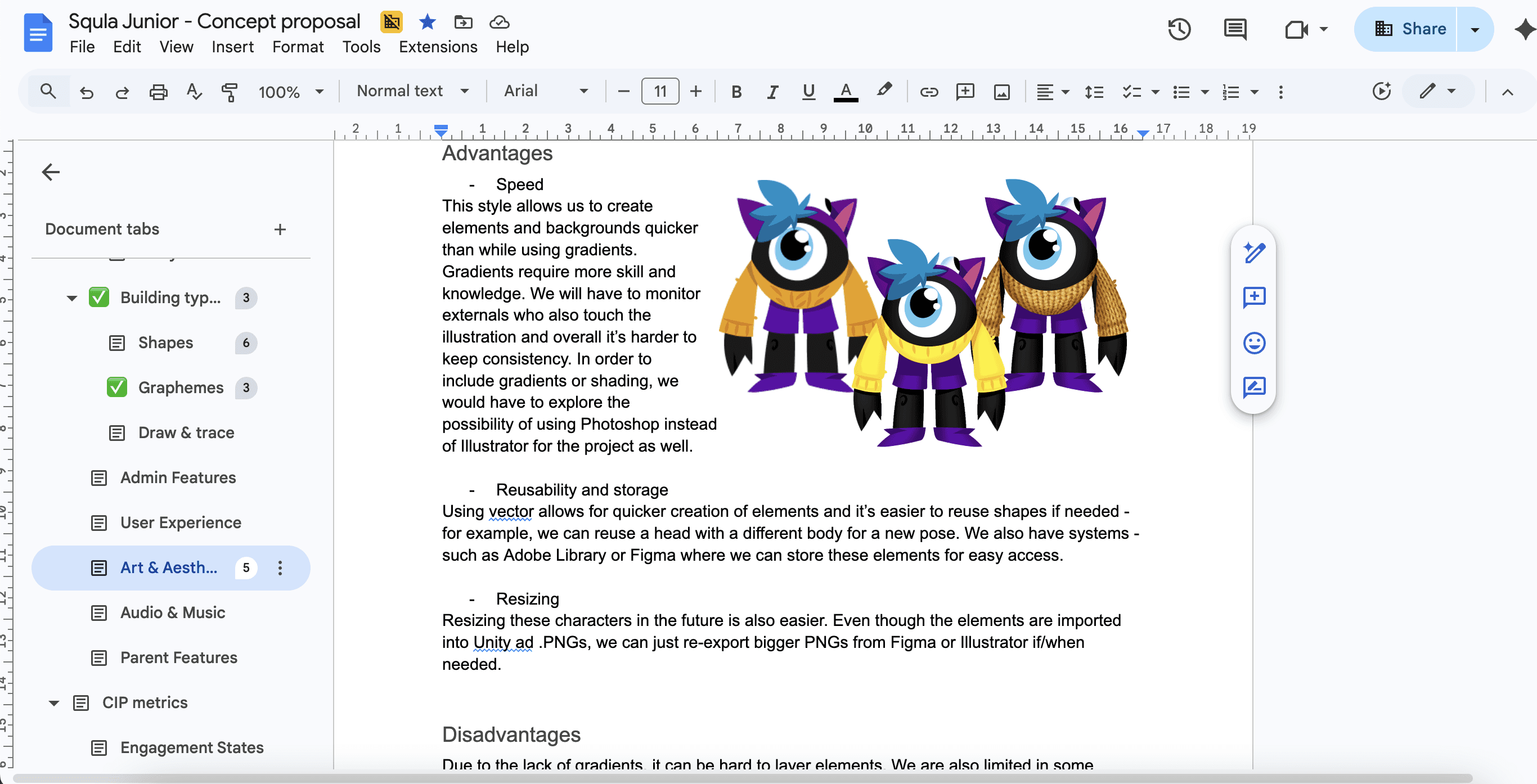
Comparison of different rendering styles
Defining technical specs
I also documented production guidelines to support efficient asset creation and integration:
Target screen sizes (mobile and tablet)
Sprite atlas dimensions
Environment texture resolutions
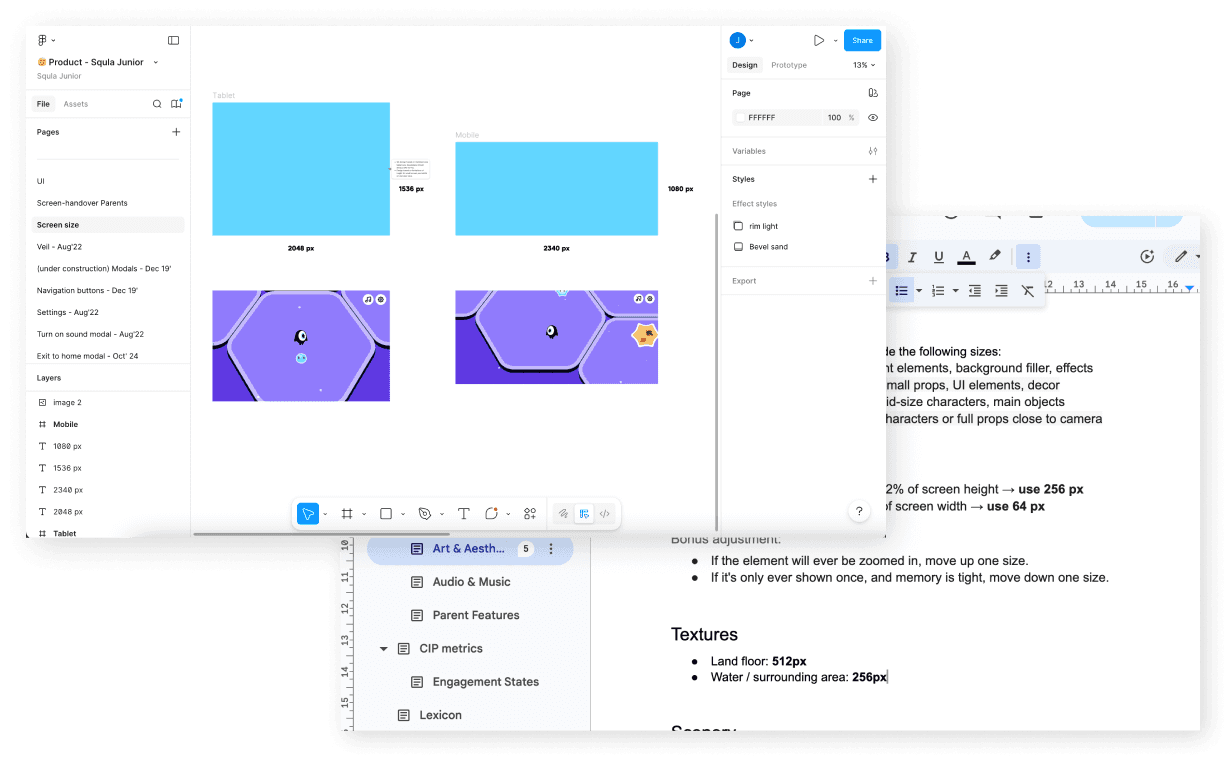
Documentation in Figma and Google Docs
3. Scalability & Technical constraints
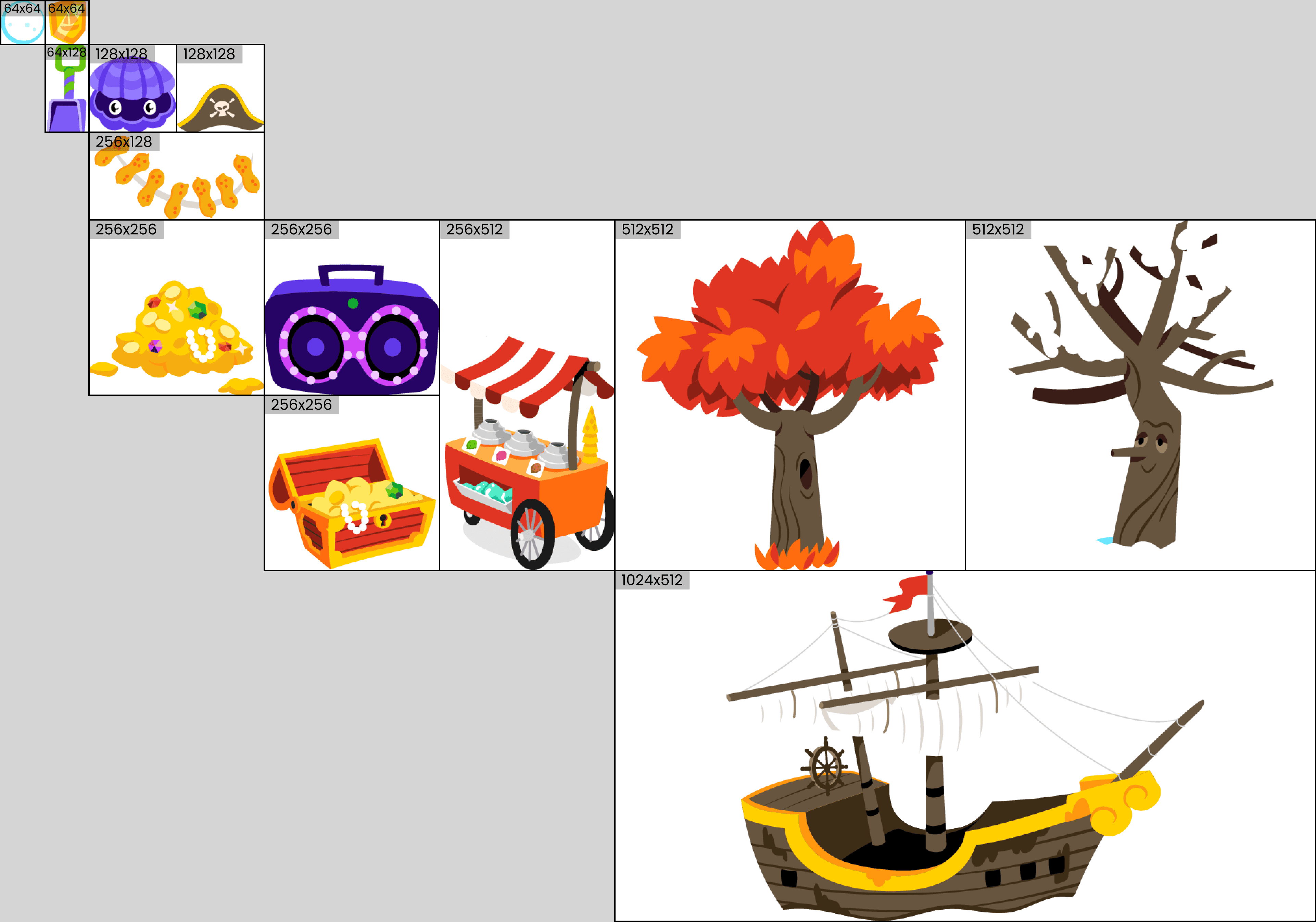
Atlas increase exponentially by doubling each step (16, 32, 64, 128, 256, 512...)
Solving scalability and reusability challenges
A key challenge in the product is the volume of assets. Each world contains ~10 unique elements and creatures, while mini-games can include up to 15 additional elements, leading to hundreds, and eventually thousands of assets that have to be produced at a fast pace.
To support this scale, I helped establish systems focused on modularity and reusability, including:
Standardised atlas sizing
Reusable animation setups
Tools to streamline asset import and set up
Mini game reusability solutions
In addition, mini-games were designed with swappable assets in mind, allowing characters, backgrounds, and elements to be easily replaced without restructuring the scene. This theming approach enables rapid content iteration and ensures that systems remain flexible as the product expands.
Combination game
Core mechanics: drag the correct amount of objects into the cloud.
1st iteration
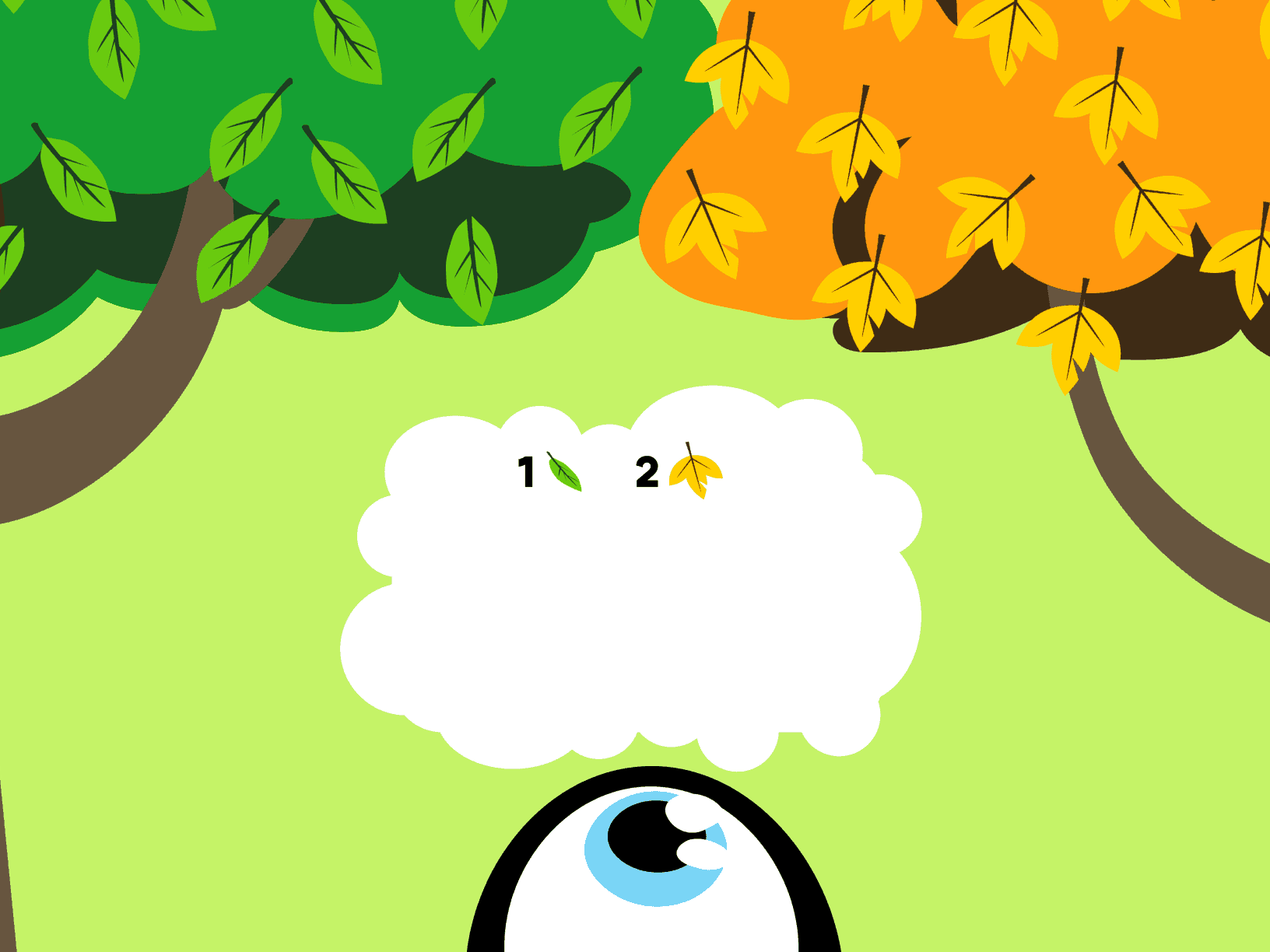
The first approach was staightforward and intuitive, but it presented several issues:
When tapping the leaves positioned at the top, children’s arms often covered the tablet or phone screen, making drag interactions more difficult.
Placing the source elements at the top of the screen and splitting them into two objects limited scene flexibility
Randomized leaf positions introduced the risk of inconsistent visual layouts when introducing future objects.

Final concept
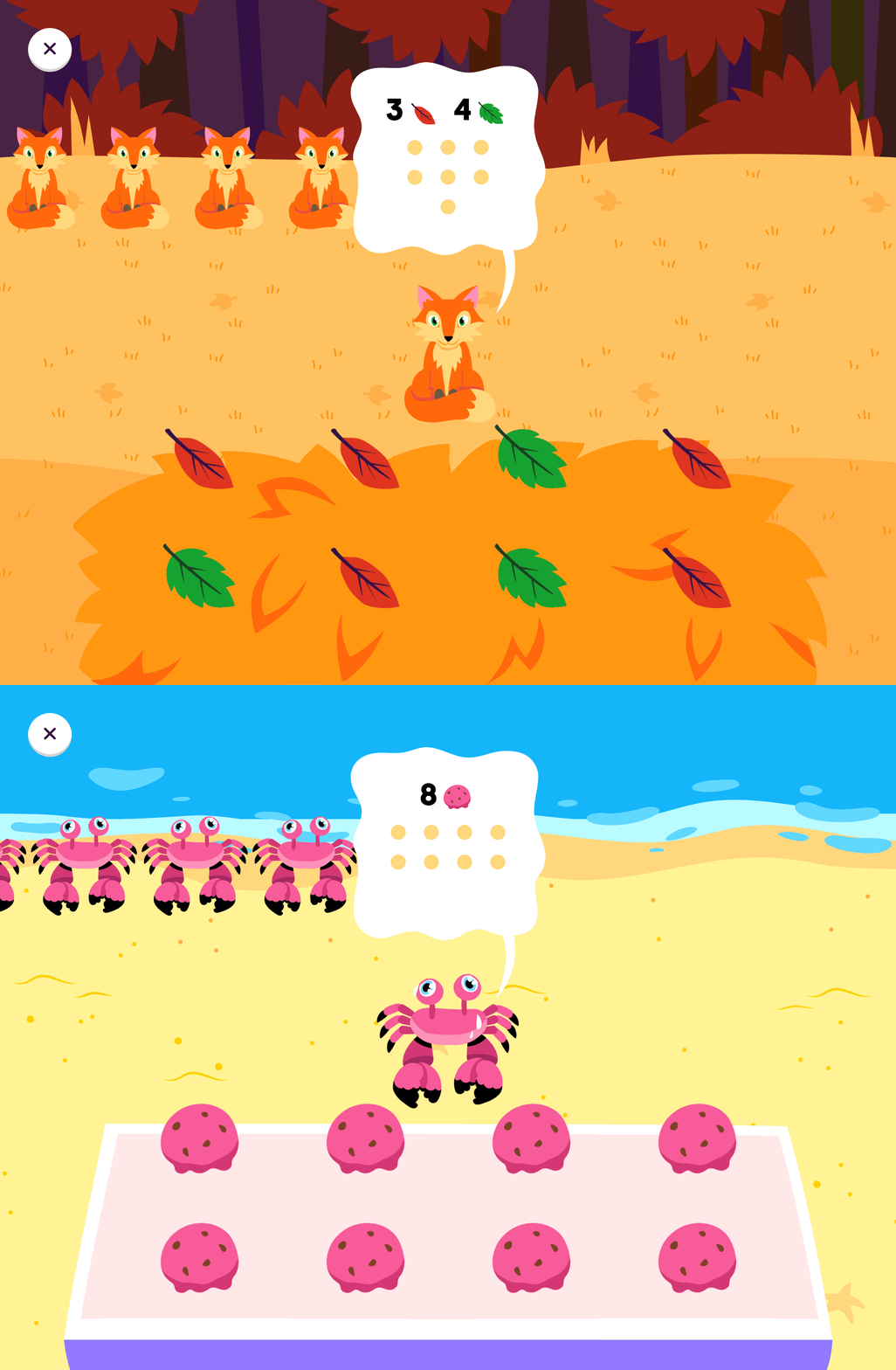
This is what the final versions look like:
A grid-based layout for the source elements enables more versatile design variations
Positioning source elements at the bottom of the screen allows children to interact while maintaining visibility of the thinking cloud
The bush can be easily replaced with alternative objects
Characters are designed to be easily swappable
4. Animation Pipeline
Mapping element structure
Establishing technique strategy
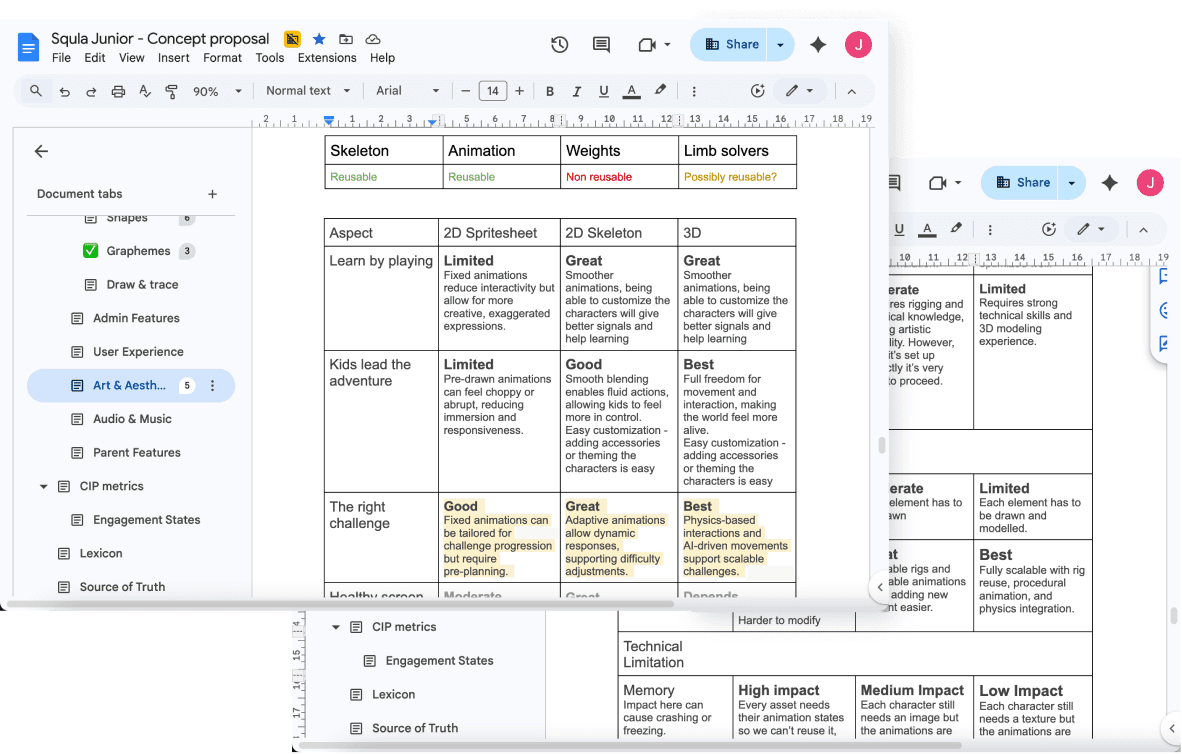
To support character animation at scale, three approaches were evaluated:
Frame by frame animation using 2D spritesheets
2D Skeletal animation
3D Animation
We scored each of these techniques against the key criteria, such as: product pillars, scalability, technical limitations and my own learning curve. Based on this evaluation, 2D skeletal animation was selected as the most suitable solution, enabling reusable rigs, reduced asset overhead, and efficient content production.
Defining creature setup
Mapping element structure
Designing atlas
Parent
Creature
Canines
Dog
Wolf
Fox
Birds
Seagull
Sparrow
Red Robin
...
...
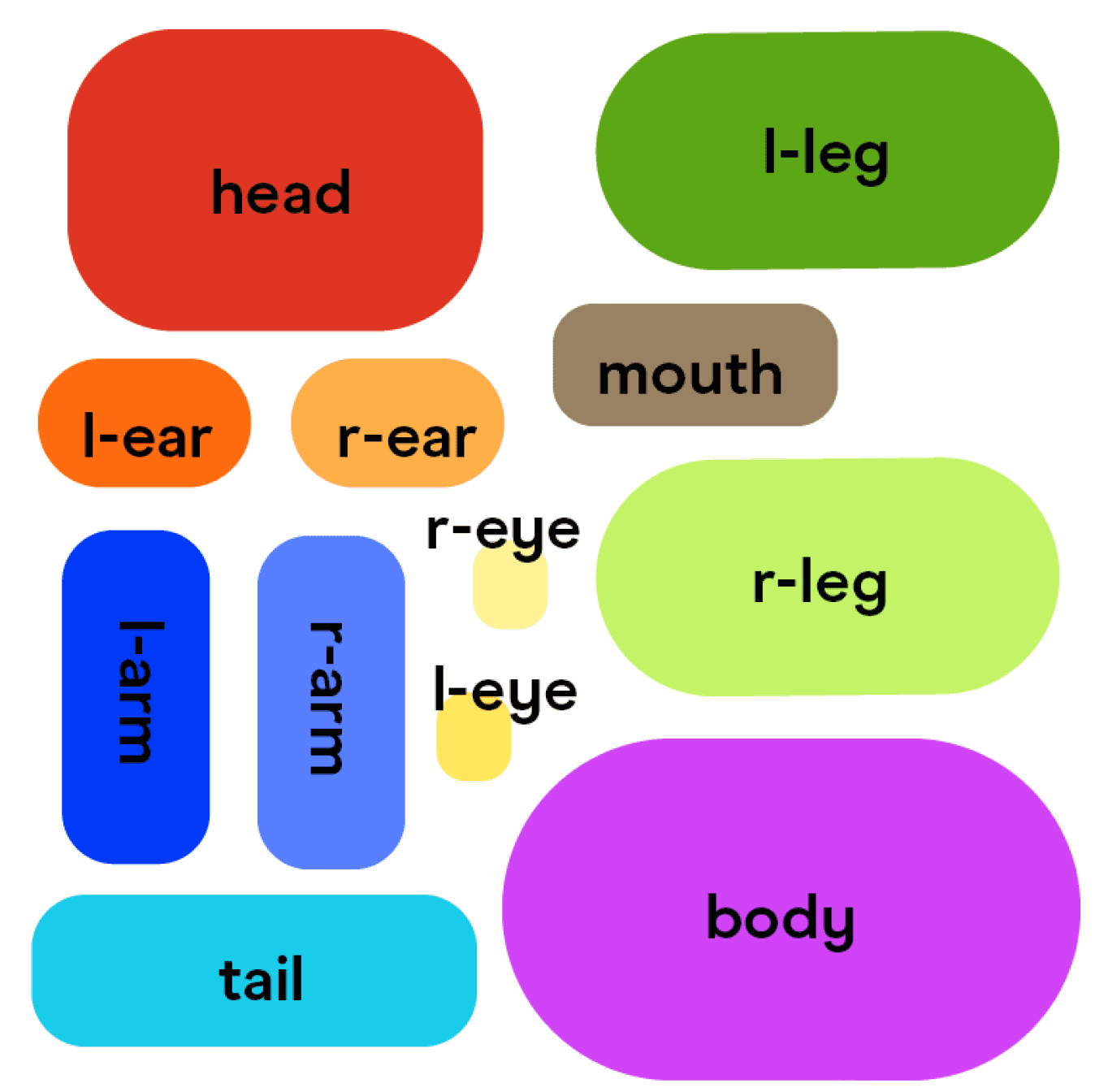
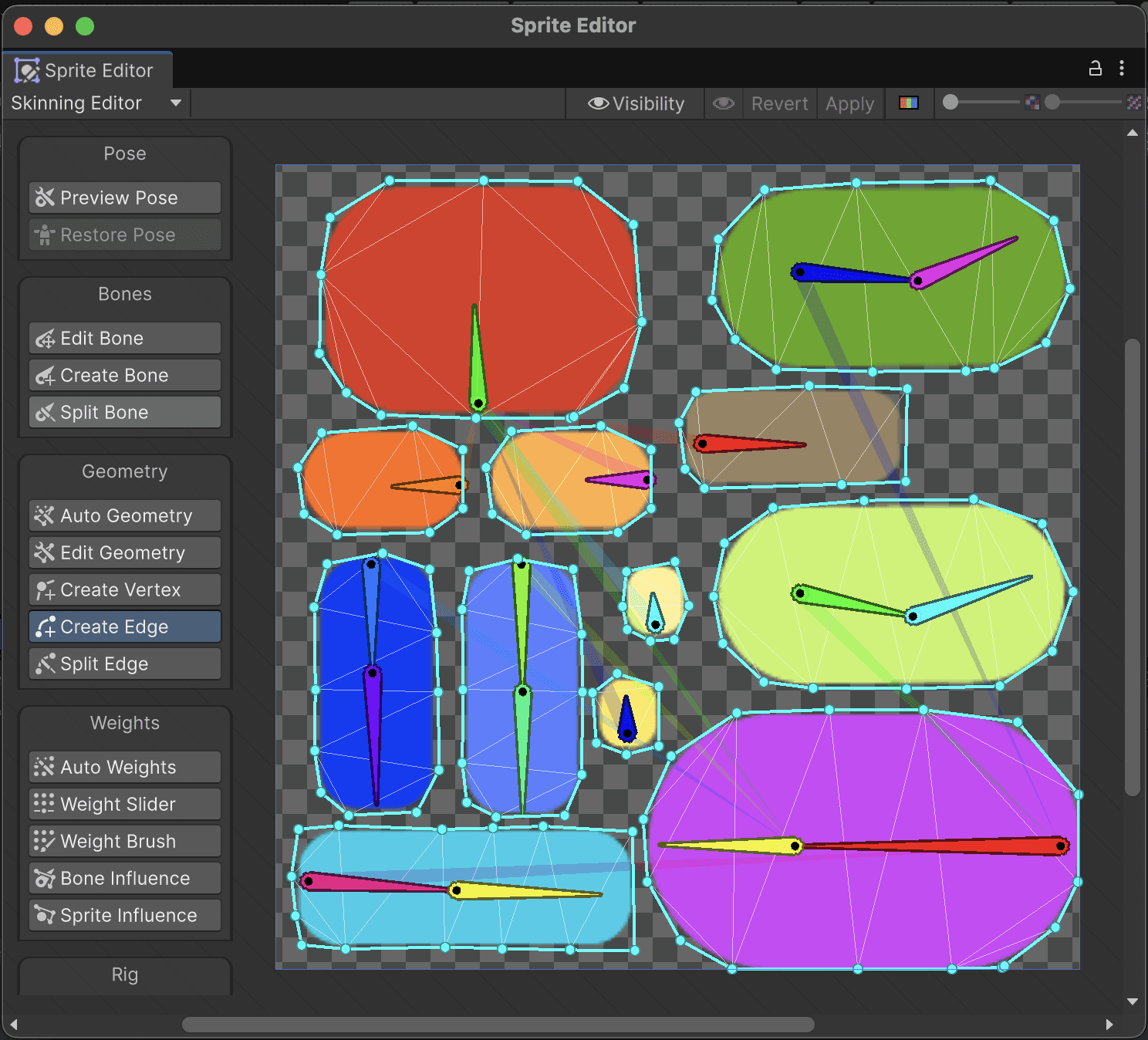
Creatures were structured around parent element abstracts, such as canines, crawlers, birds, etc.
For each abstract, I developed parent atlases that serve as the foundation for asset creation. These atlases are used to define and assign bones, geometry, and weights.
Setting up parent
Transfering metadata from parent → child
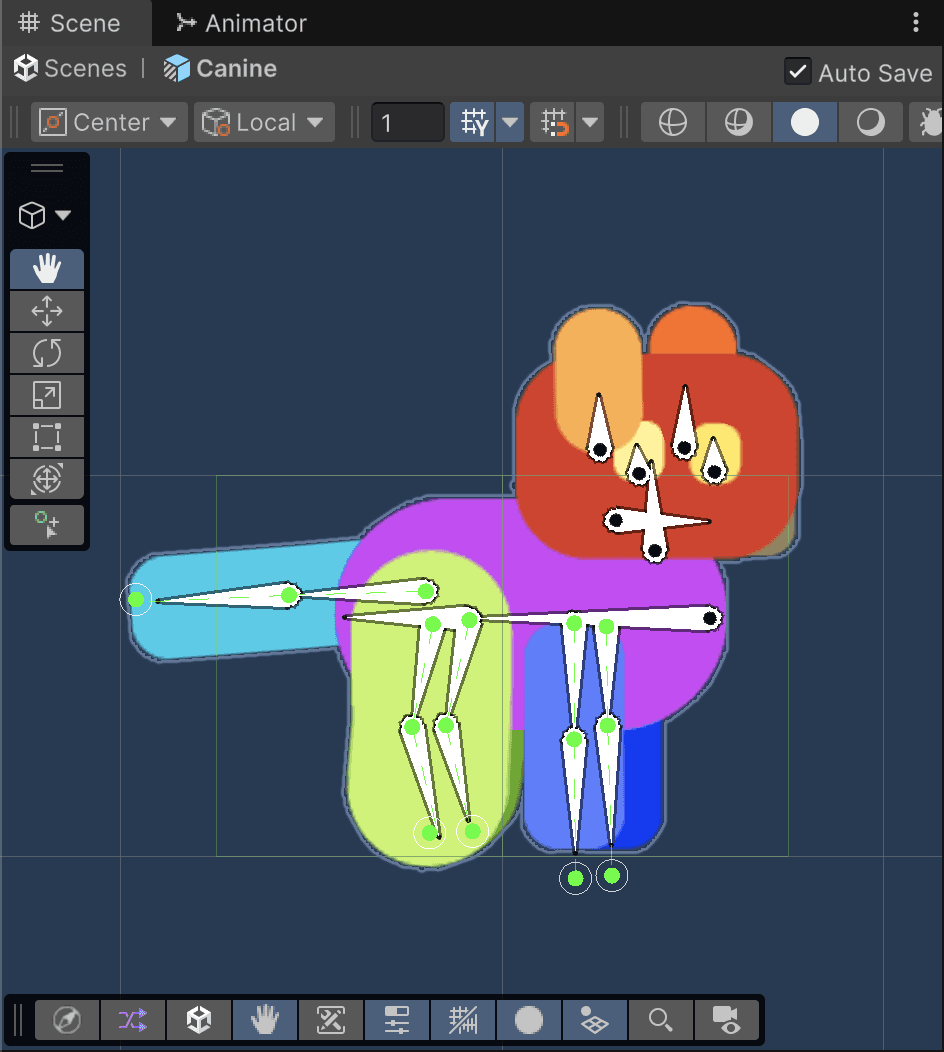
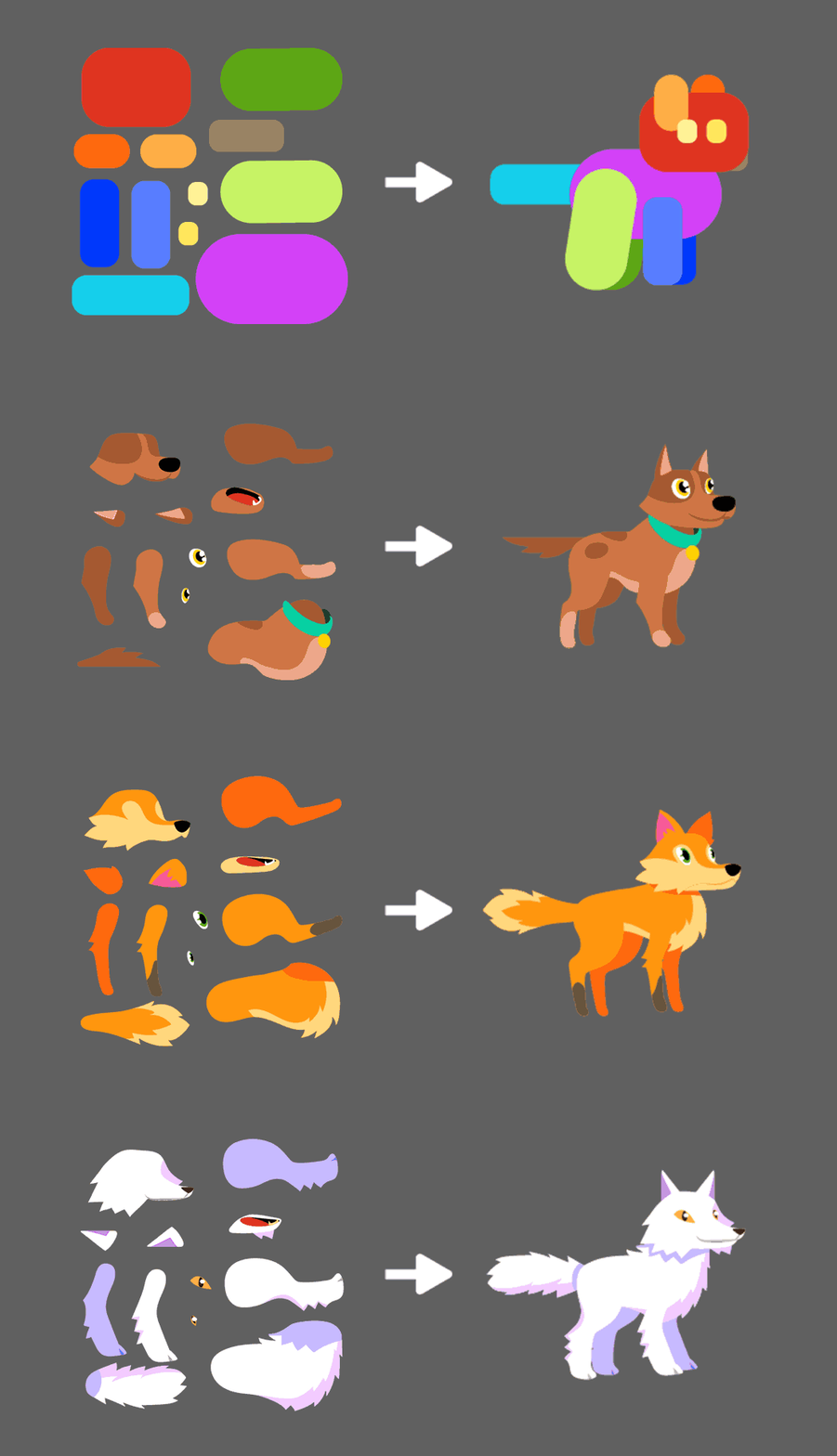
Each parent prefab includes a fully configured setup, with IK solvers and animation controllers required to bring the character to life.
When creating a new creature within an abstract, the parent’s metadata is transferred to the new sprite, and the prefab is updated through a sprite swap. This allows the creature to automatically inherit the same rig, geometry, weights, and animations as its parent.
Results

Canines idle animation

Birds happy emotion
5. Tools & Pipeline Development
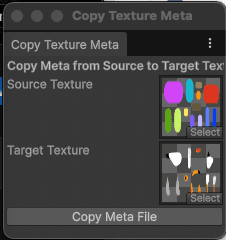
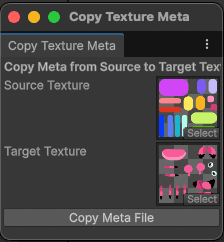
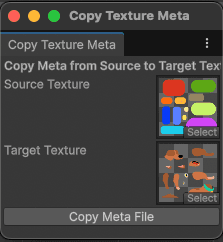
Custom tool built to transfer metadata across sprites
Unity Editor Tools
During implementation, it became clear that transferring metadata from a parent sprite to a new creature was not supported in a straightforward way within Unity.
This limitation made the skeletal animation workflow an unviable option, but we had already rejected alternative approaches such as 2D spritesheets and 3D animation.
To address this, a custom tool was required to transfer bones, geometry, and weights from the parent asset to new creature sprites.
In collaboration with the development team, we created a Unity Editor tool that copies texture and metadata between sprites. This allows the parent’s setup to be applied to new creatures in just a few clicks, significantly improving workflow efficiency.
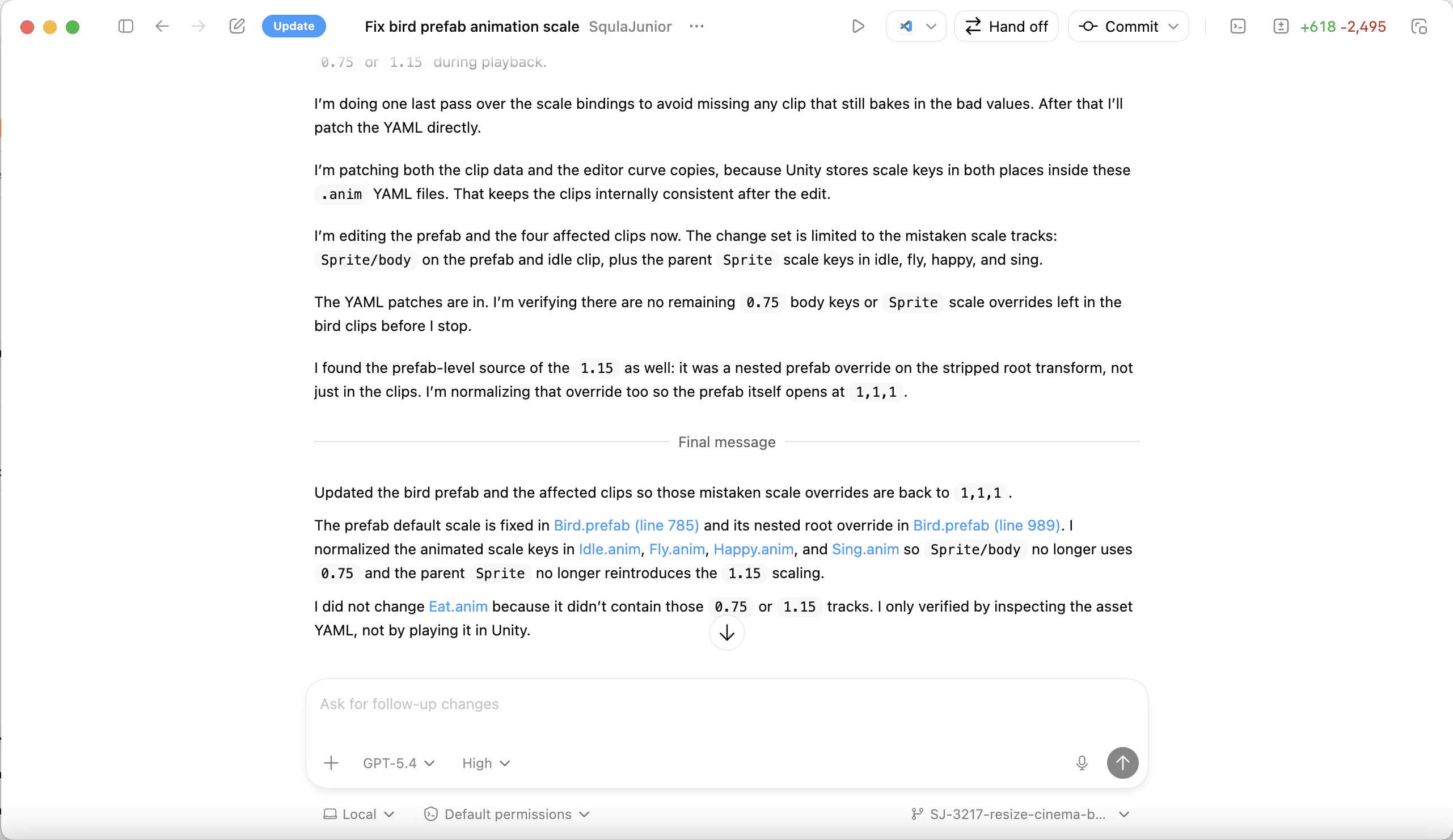
Codex interactions
Codex
As the animation library expanded, making structural changes to prefabs introduced the risk of animations breaking across multiple clips. Updating these changes manually would require revisiting large numbers of keyframes, increasing the likelihood of human error and slowing down production.
To support safe iteration at later stages, I integrated Codex into the workflow to modify specific keyframes across multiple animations simultaneously. This allows prefabs and creatures to be updated without requiring repetitive manual adjustments.
This approach improves reliability within the animation pipeline and reduces the time spent on error-prone tasks, allowing changes to be implemented efficiently as the project evolves.
6. Technical Systems in Unity and Figma
My role also includes the implementation and integration of gameplay systems across tools and platforms.
In Unity:
Maintaining and updating C# scripts that connect backend systems to the element IDs defined by the game designer
Assigning models and configuring elements with their associated data, including:
emotions
behaviours
animations
icons
Setting up animation systems and assigning controllers
Implementing textures and material setups
Creating particle effects
Setting up and configuring UI elements
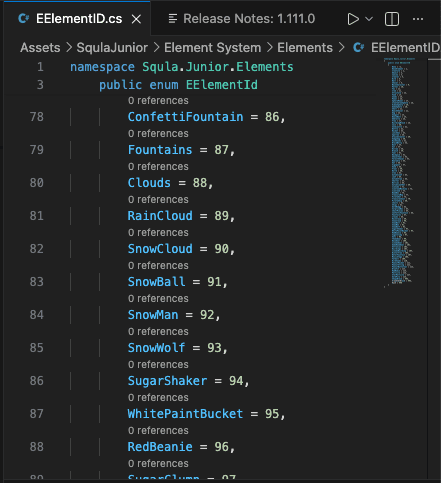
Element ID C# script
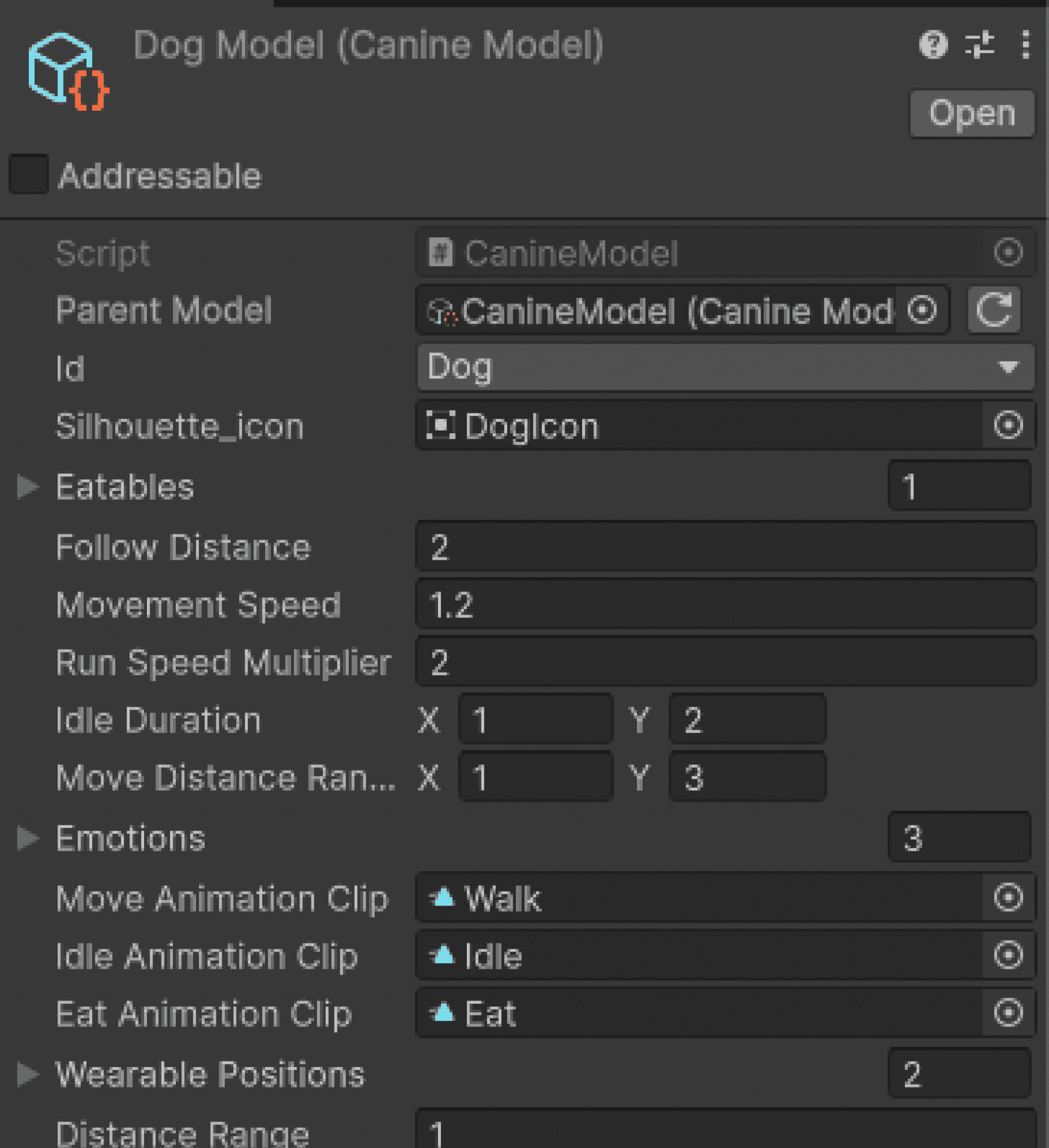
Element models
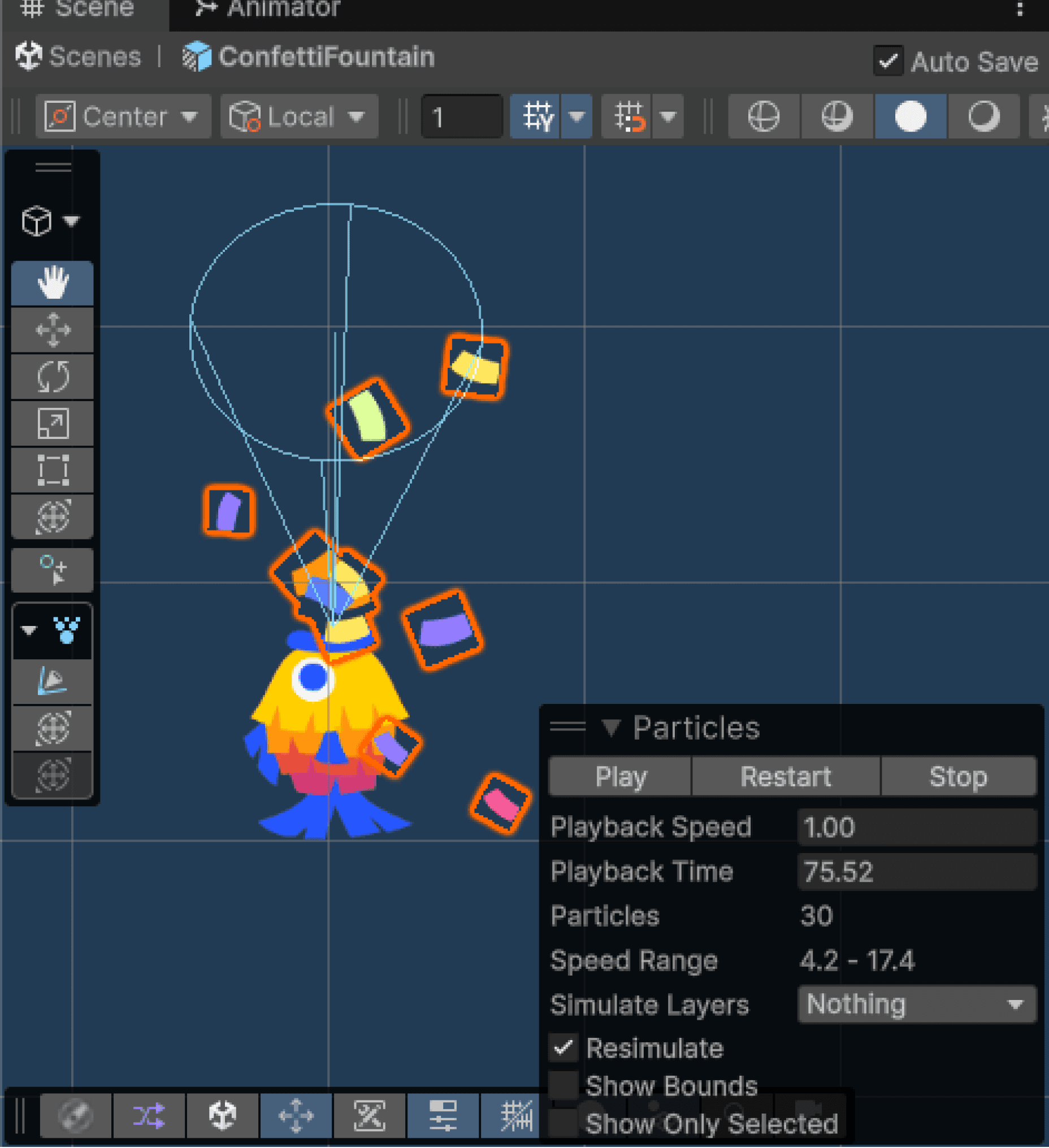
Particle effects
In Figma:
Documenting product features and user flows
Designing UI systems and layouts
Prototyping
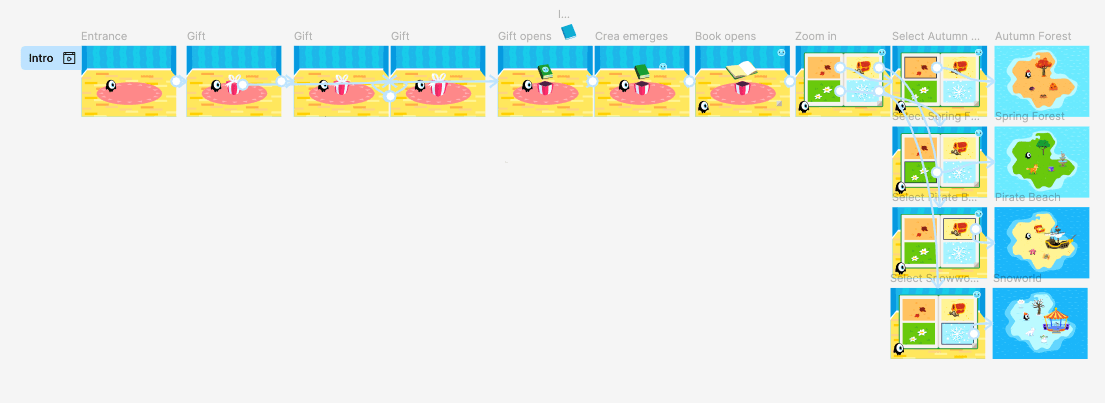
First time play prototype
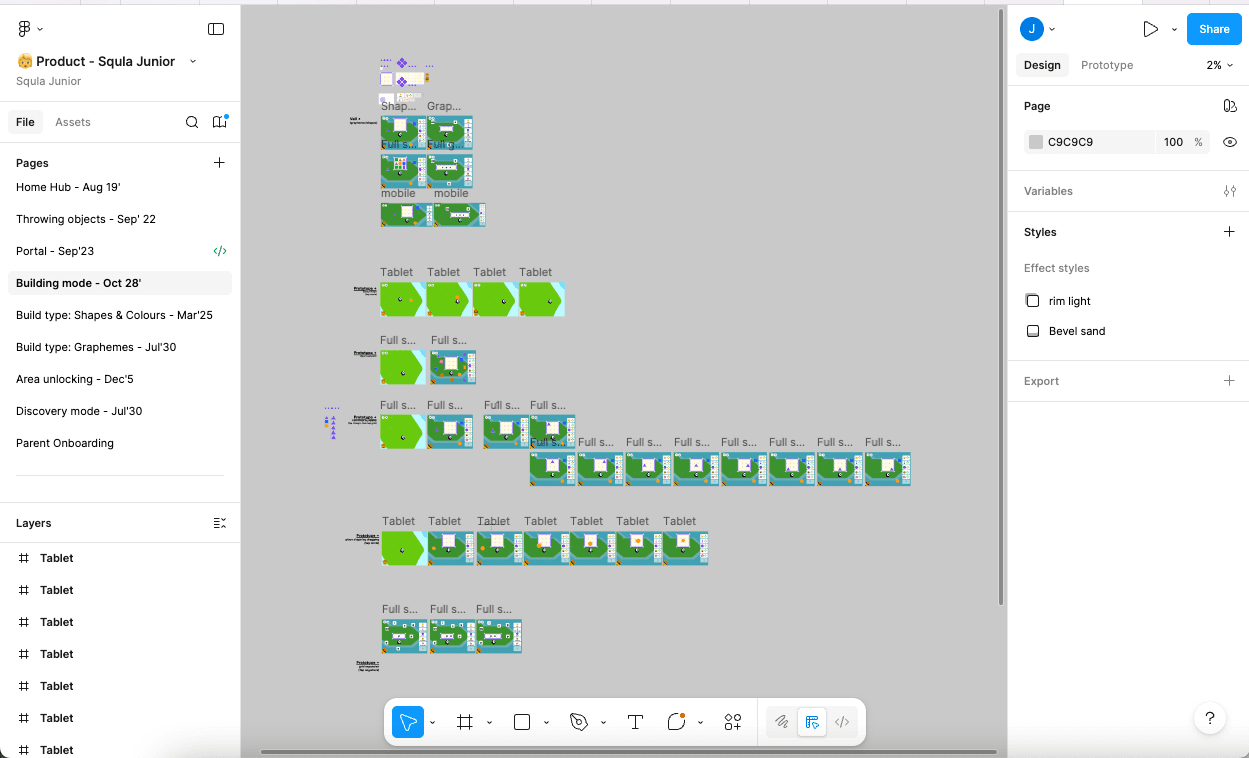
Building mode screens and documenation
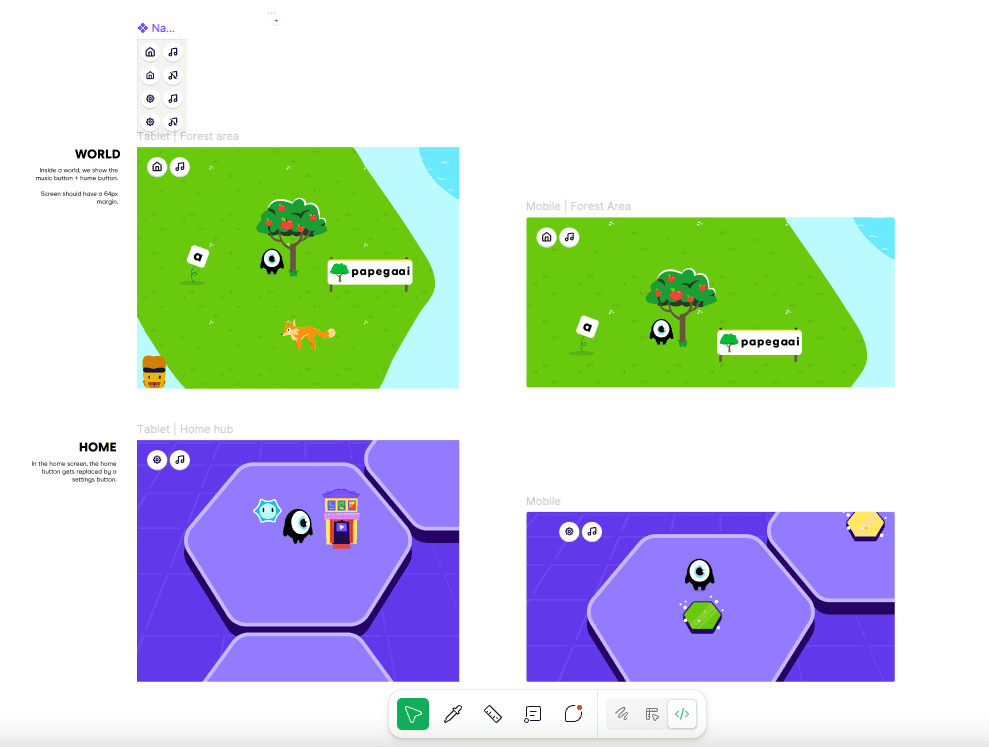
UI documentation in tablet and mobile
7. Optimization & Performance
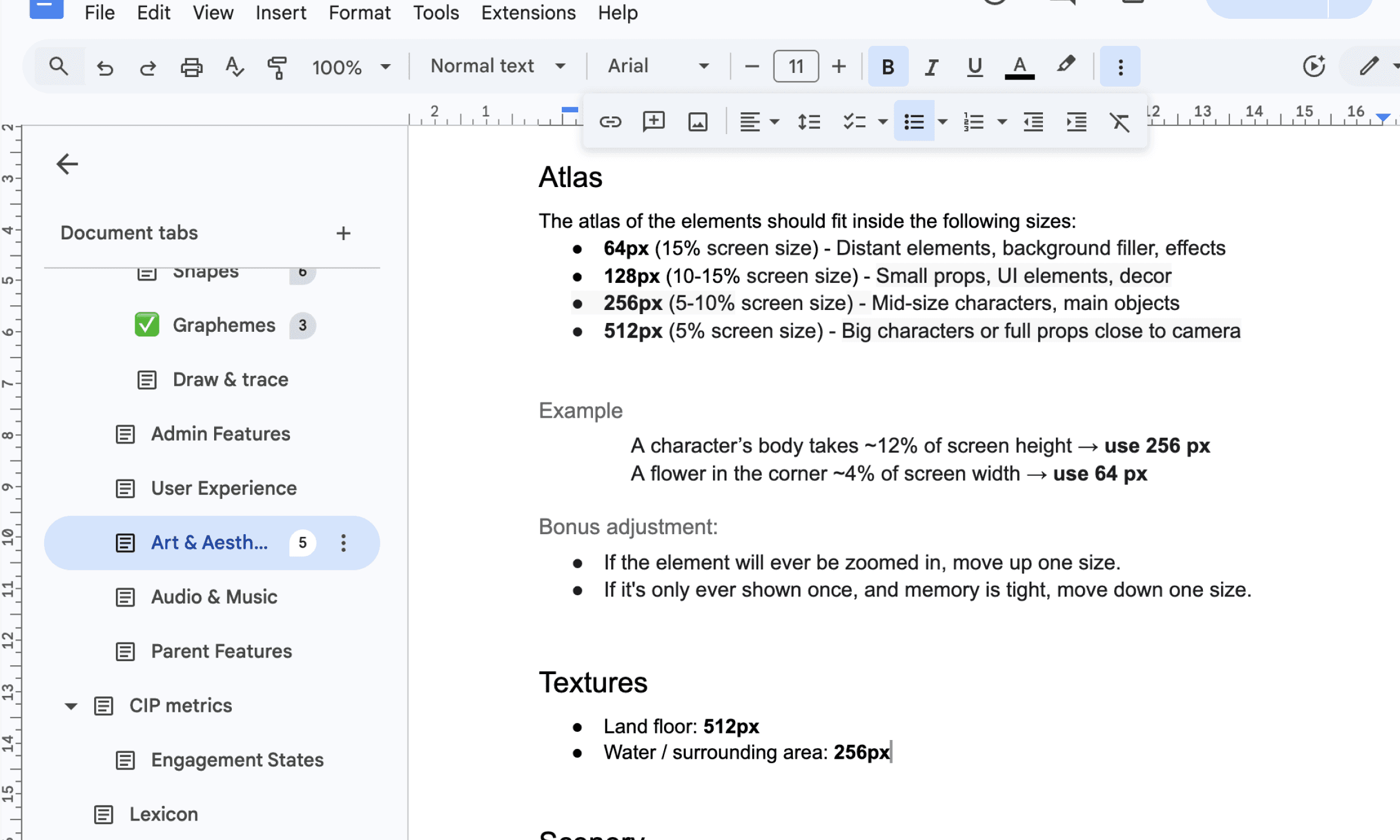
Documentation in Figma and Google Docs
Defining atlas sizing
To standardize asset production, I defined a set of specifications for designing and exporting sprite atlases. Every element must fit these specs in a way that effectively takes advantage of all the pixels inside the frame.
It was also determined that sprites can never be visually smaller than 1cm, which was considered to be the minimum tappable area for kids of this age group. This assessment was made through user testing - we observed how children interacted with the game and identified when elements became too difficult to recognise or interact with.
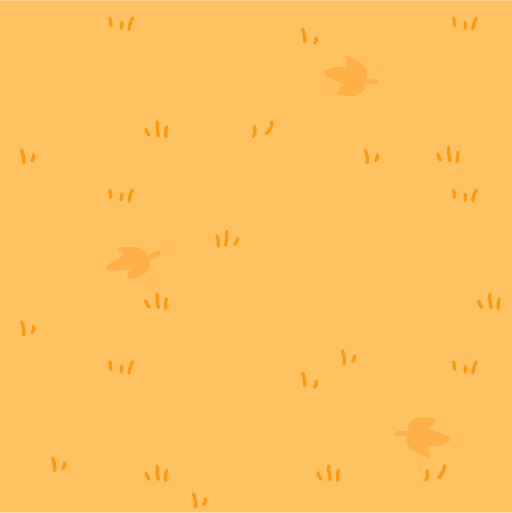


Ground and sea textures
Using textures to theme worlds
We make use of textures to populate environments at a low performance cost. With a texture atlas of only 512x512px, it is quick and easy to design new floor textures and apply them to the scene.
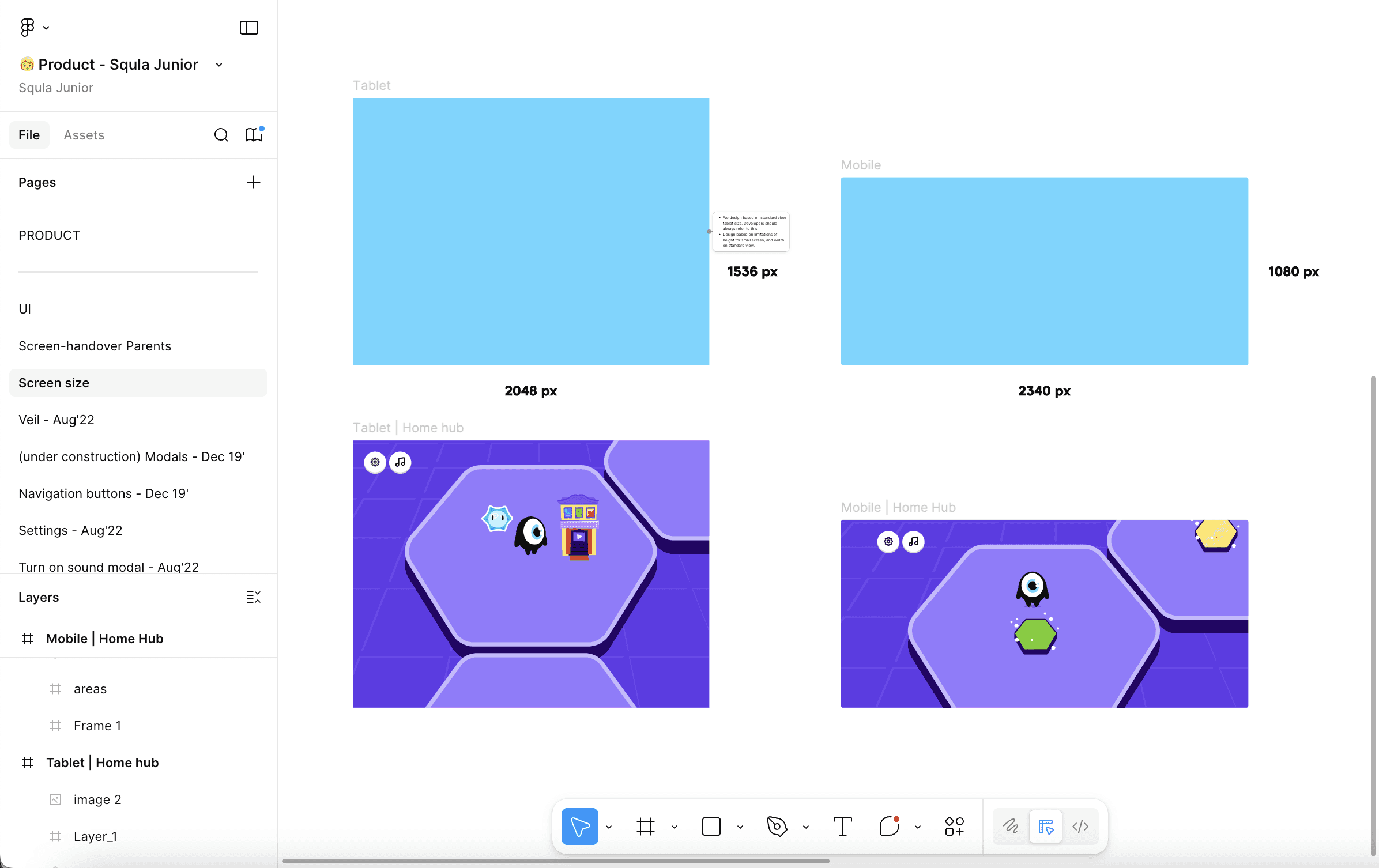
Screen resolution documentation
Building UI
To streamline UI production across mobile and tablet platforms, UI frame sizes were standardized within Figma. Initially, separate UI layouts were created with different button sizes for each device, which led to inconsistencies during implementation and scaling in Unity.
To resolve this, two reference frames were defined:
Tablet: 2048 × 1536 px
Mobile: 2340 × 1080 px
By aligning UI elements to consistent reference resolutions, components such as buttons could be designed once and reused across devices while maintaining correct visual proportions. This reduced redundant documentation, improved visual consistency, and ensured reliable scaling behavior during Unity implementation.