Landing Jobs redesign
Landing.jobs is a tech-focused job marketplace connecting professionals with job opportunities in the tech industry. Simultaneously, employers can advertise openings, access a pool of qualified candidates, and streamline their hiring process within the tech sector.
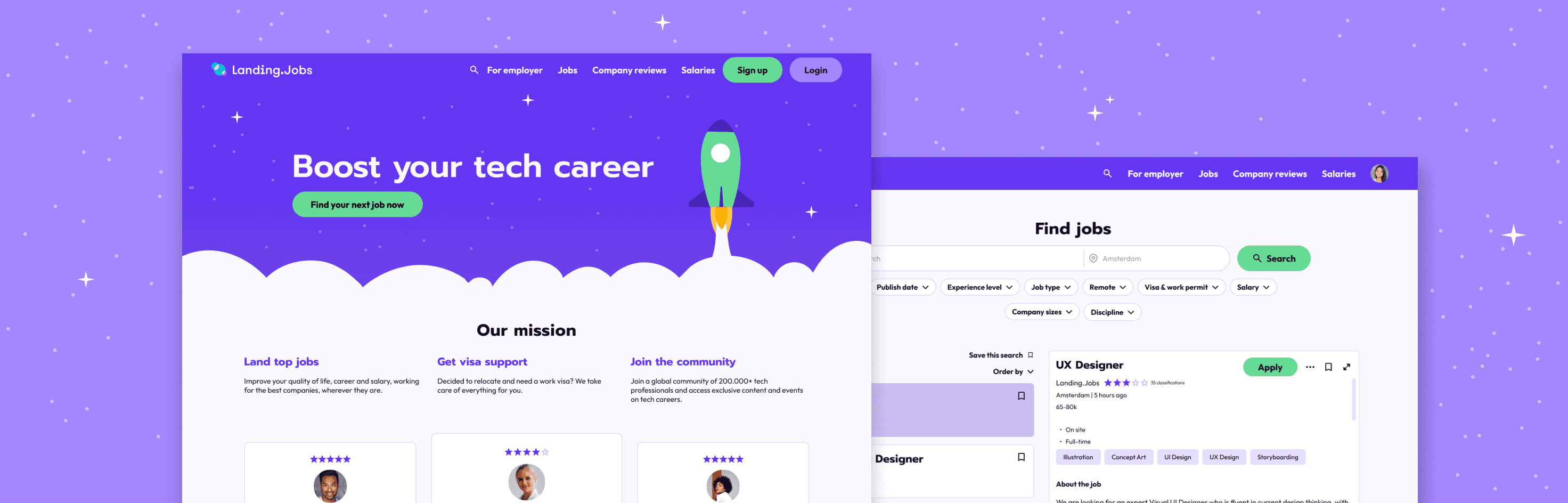
Redesign of Landing.Jobs
Background
Landing Jobs, while a valuable platform for job seekers and companies, faces several usability challenges that hinder user experience.
The website’s navigation is too complex, making it challenging for users to find what they’re looking for. There is a lot of visual clutter and information overload, creating the need for a consolidation of visual elements. The platform exposes a poor visual hyerarchy and inneficient navigation patterns.
Project context
The objective of the project was to elevate Landing.Jobs' interface, functionality, and user engagement through strategic redesign, focusing on usability improvements. At the end of the project I was hoping to have:
Improved navigation
Clear and extensive filtering system for job searching
Easy applying process
Consistent graphic language
Less visual clutter
Assessing frustrations
Benchmarks
Competitive analysis
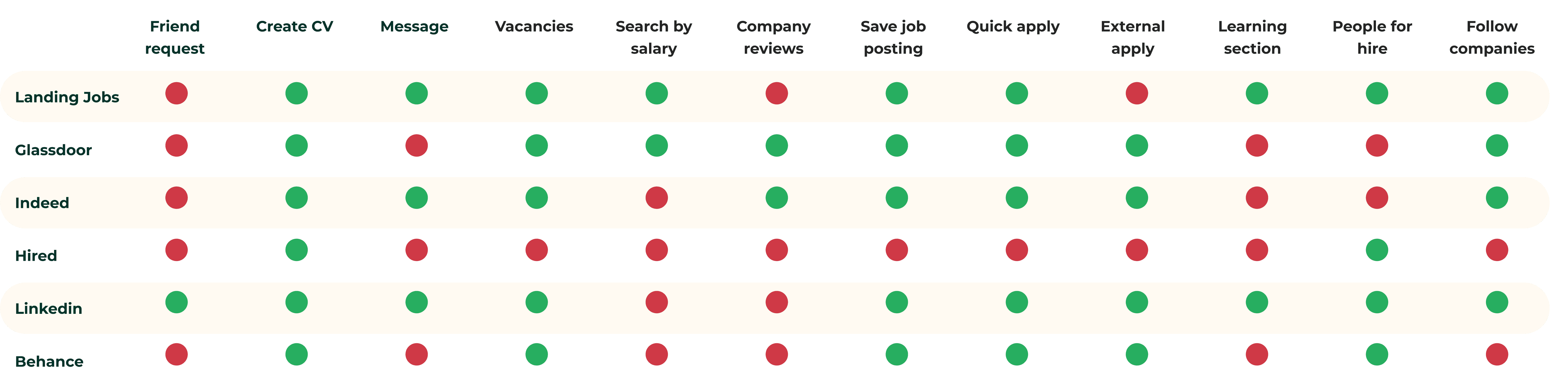
To determine the best solution, I explored other platforms with a job search function to identify what functionalities they offer to the user.
I discovered that all of them offer you the possibility to create your CV and apply directly through the website, but Landing Jobs was the only platform that didn’t allow you to apply through an external link, such as the website of the employers themselves.
These platforms don’t tend to offer a social aspect such as having a visible profile or adding friends. Landing Jobs and Linkedin were the only platforms who offered learning sections with courses and tips for resume improvements.
Only Glassdoor and Indeed features company reviews.
Ony Glassdoor and Landing Jobs offered insights into the salaries corresponding to certain positions in relation to their seniority level and area.
Expert review boards
Expert review
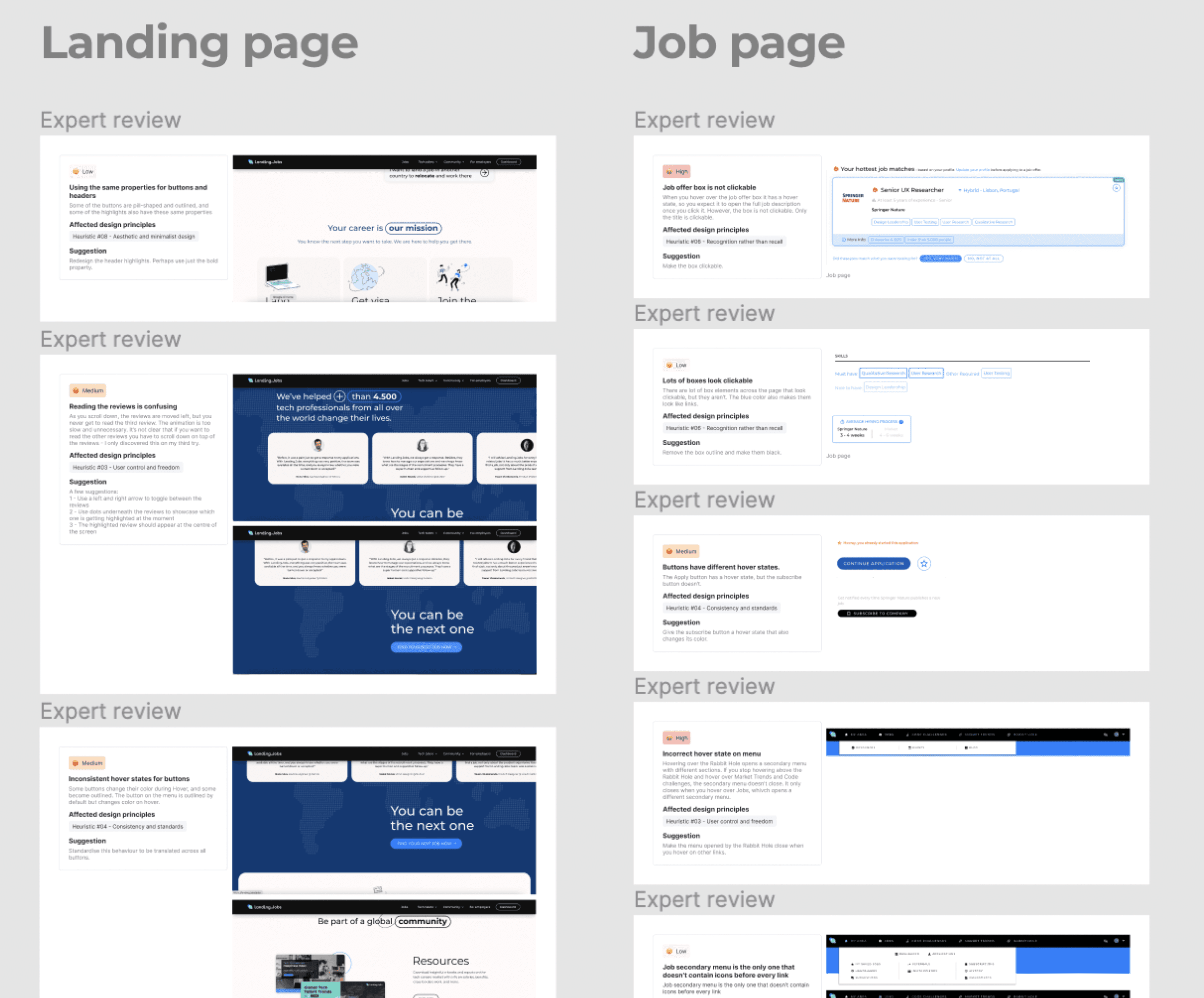
Landing.Jobs has a series of inconsistencies in its visual language and user journey. It was essential to identify the core problems that hinder the navigation of the platform. Some of its core problems are:
Pages across the website have different headers with different links.
Website headers change across pages, making it seem like we have switched to a new platform
Several links and buttons don’t have hover states, whole others do.
The platform uses different layouts to communicate the same message across pages.
Buttons and headers look alike and can be easily confused
Dropdown menus have an inconsistent style
Different pages have completely different colour schemes, making them seem like different platforms
The input fields have different designs across pages
Language is unclear across website on menus, buttons. They don’t communicate efficiently the function of these elements
Establishing the user needs
User interview
From user interviews to a user journey
To better understand some pain points and unmet needs of unemployed people who are searching for a job, I decided to conduct interviews.
The goal was to identify:
What the necessities of the participant were on a job search platform
Frustrations they had encountered during job hunting online
How they expect a job search platform to perform
User Pain Points
Having to create an account in order to access the job vacancies page
Having to fill in too many details when creating an account
Job search filters are too extensive and provide too many options that the employer might not fill in;
Application process is too complex and time consuming because there are too many fields that the user has to fill in
Not being able to search for salaries and company reviews
Insights
Participants find the process of looking for a job frustrating and time consuming
Notifications send them spam or job listings that are unrelated to their field
Participants don’t tend to use the learning resources on job searching platforms offer and instead look for their ow courses independently when needed
Participants tend to look for company reviews and salary ranges after having been selected for an interview.
Participants look for reviews and salaries of a position in relation to its’ seniority level and area.
Wireframes
Plan of action
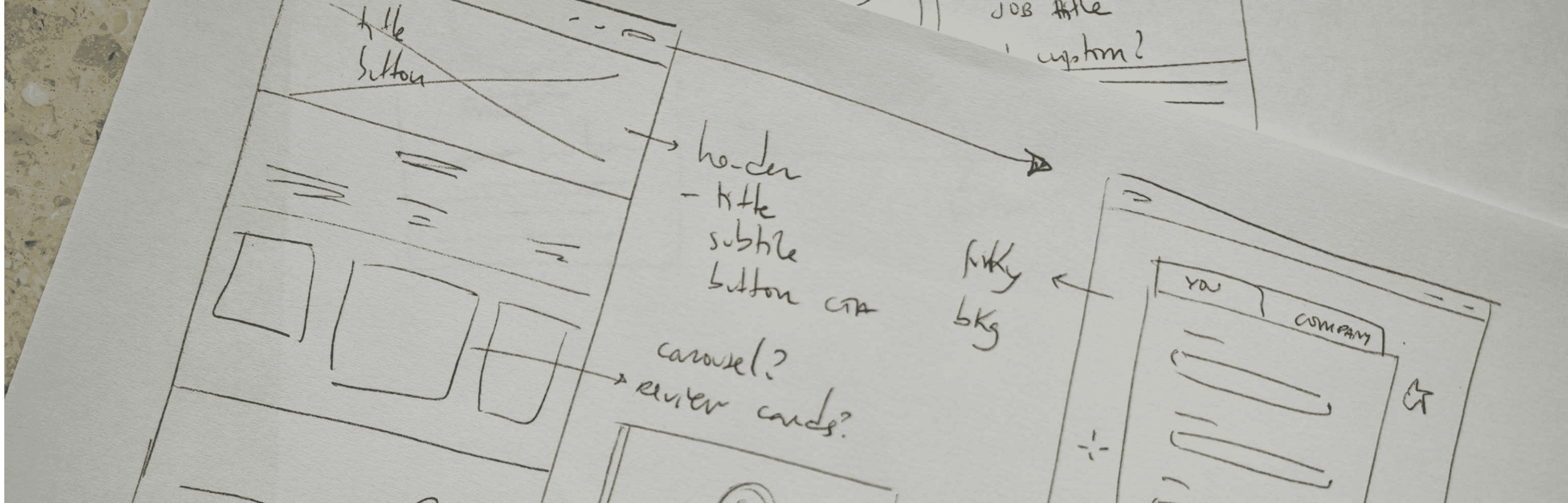
After the research process, it became clear that the goal of my redesign should focus on resolving the most pressing pain points that were pointed out by the users:
Allow access to the job search functionalities without having to create an account
Minimising the amount of information that the users need to provide upon creating an account, reducing it to the essentials
Provide extensive filtering systems
Make the application process straightforward and fast
Reduce the amount of fields the user has to fill in to send an application
Offer the opportunity to search for salaries and company reviews
Landing.jobs presents a series of inconsistencies in navigation, contains too many steps in the application process, and lacks a visual language that is consistent across the platform. Navigating through the website makes the users feel like they are using different platforms simultaneously.
Style Guide
Defining a UI kit
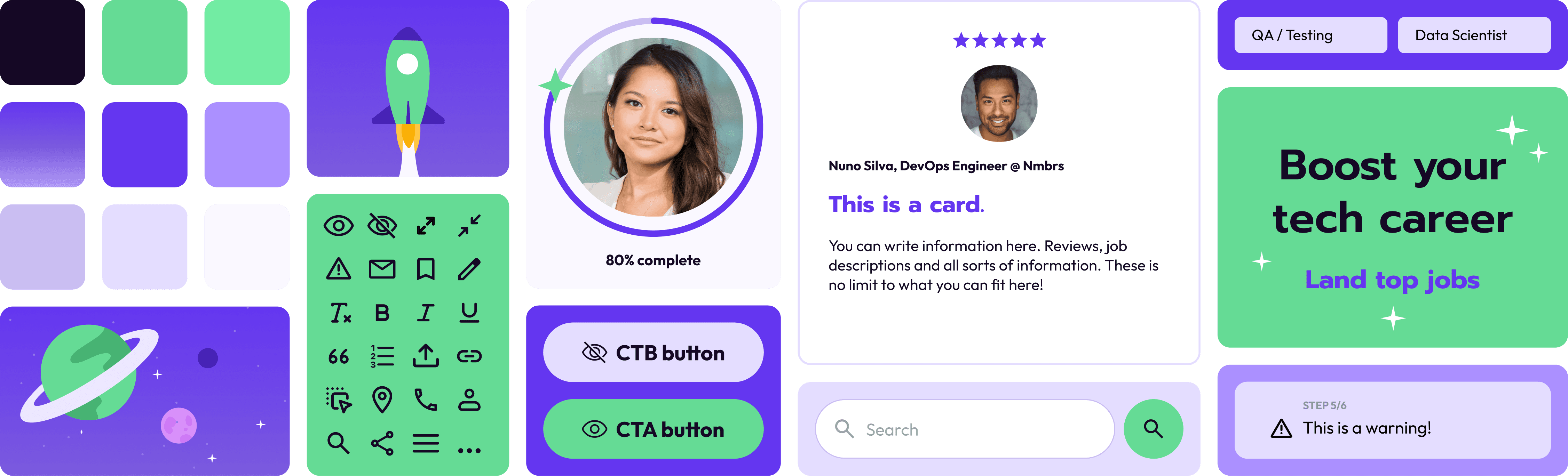
I decided to redefine the visual language of the platform. The users were not fond of the current design, specially the change in styles from one page to the next. They found that each page looked like it was from a different platform. Some users with disabilities have also reported that they had difficulty processing and navigating through the landing page of the platform, due to the animated circles in loop behind the headline. The neon color palette used in text or buttons against the black also proved to be harsh on the user’s eyes.
I decided that “Landing” would be the essential premise of the redesign of this platform. The direction I went for is heavily inspired by space elements, utilising vibrant illustrations and celestial shapes for the UI elements of the platform. I striped down the look of Landing.Jobs of its dark and neon elements, and introduced a lighter, fresher color palette, heavily reliant on purple shades.
The redesign
Result
I decided that “Landing” would be the essential premise of the redesign of this platform. The direction I went for is heavily inspired by space elements, utilising vibrant illustrations and celestial shapes for the UI elements of the platform. I striped down the look of Landing.Jobs of its dark and neon elements, and introduced a lighter, fresher color palette, heavily reliant on purple shades.
Landing page and login
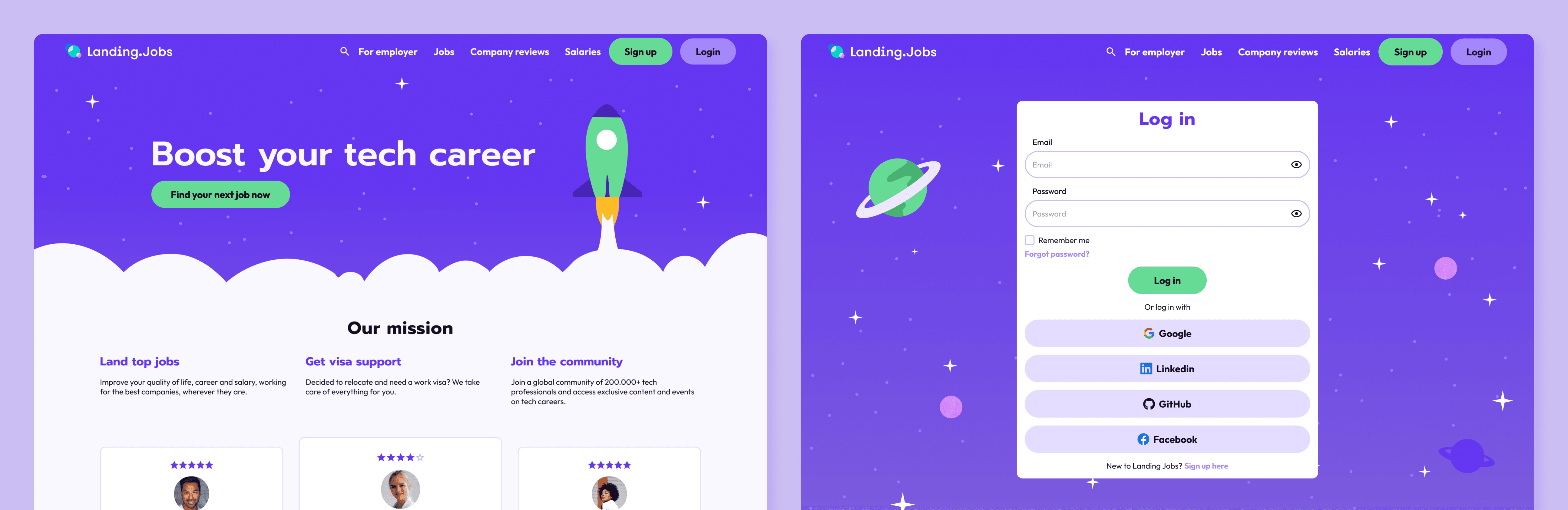
Unified the visual language across the entire platform, matching the landing page to the job search page and all the user spaces, including profiles, job applications, etc
Rewrote copy to make the website’s navigation clearer
Reduced the amount of elements of the landing page, providing only essential information
Job search page
Introduced a salary comparison that informs the user where this companies salary offer scores in comparison to other companies for the same entry-level positions
Developed a job search page with an ample amount of filters that allow for the user to narrow down their search if desired
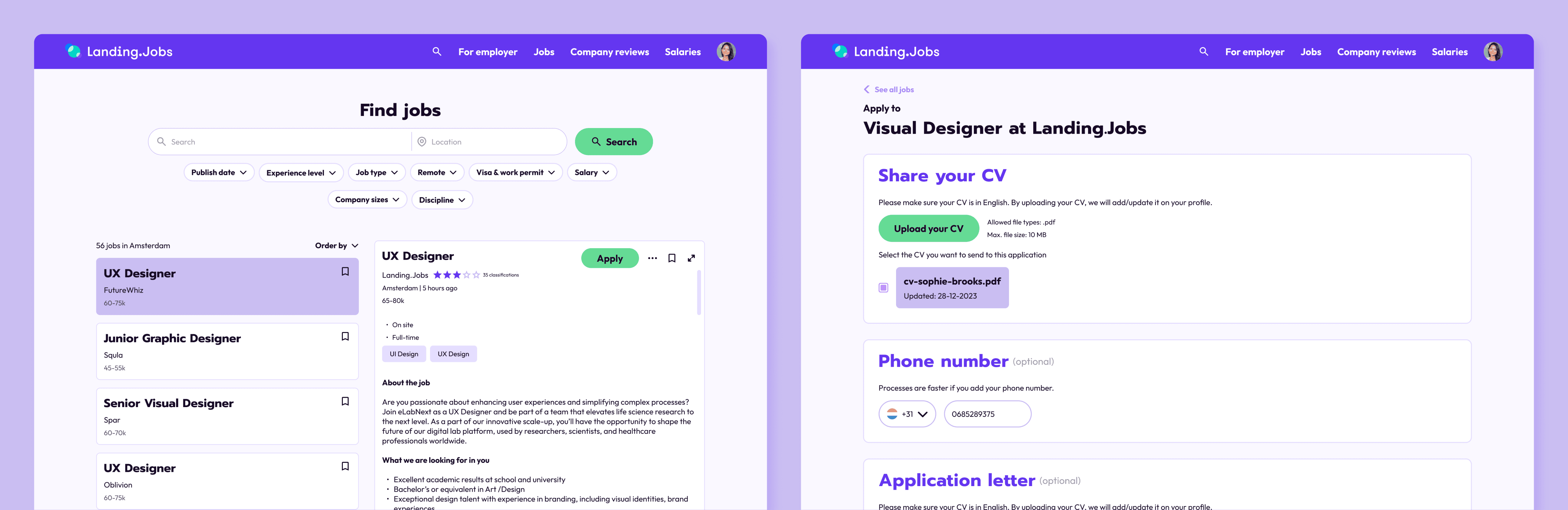
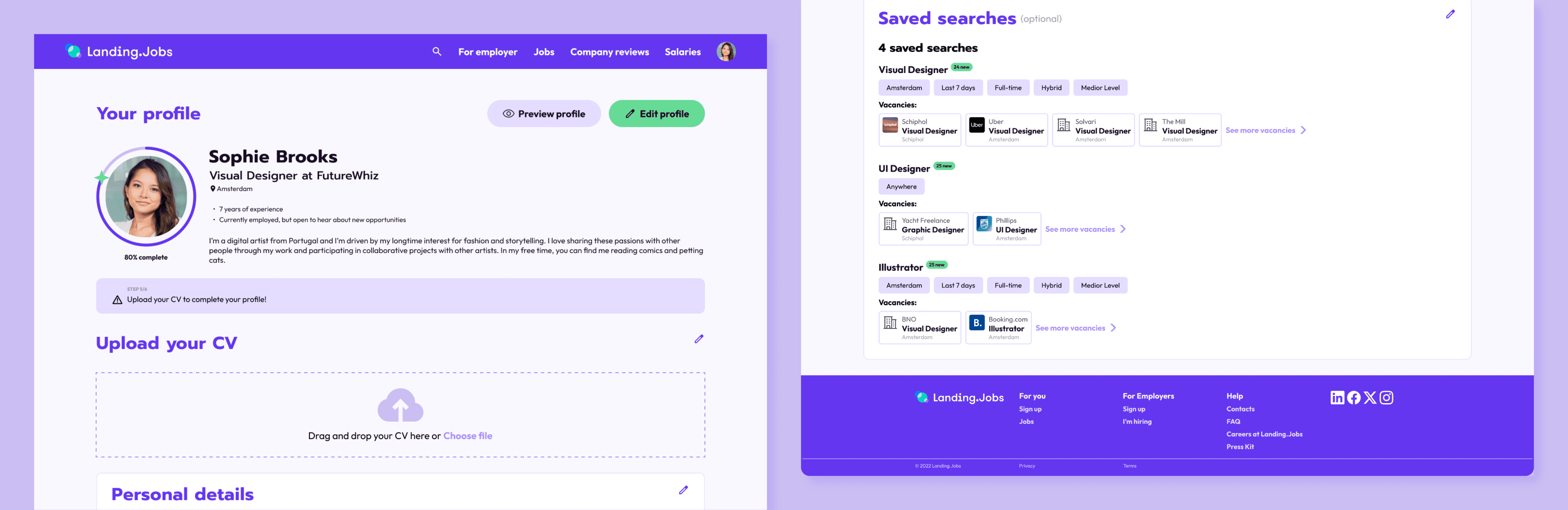
Profile
Simplified the profile page for a clear overview of the user’s skills and easy editing
Provided a very concise application page that contains only the essential information, allowing the application process to be fast and convenient
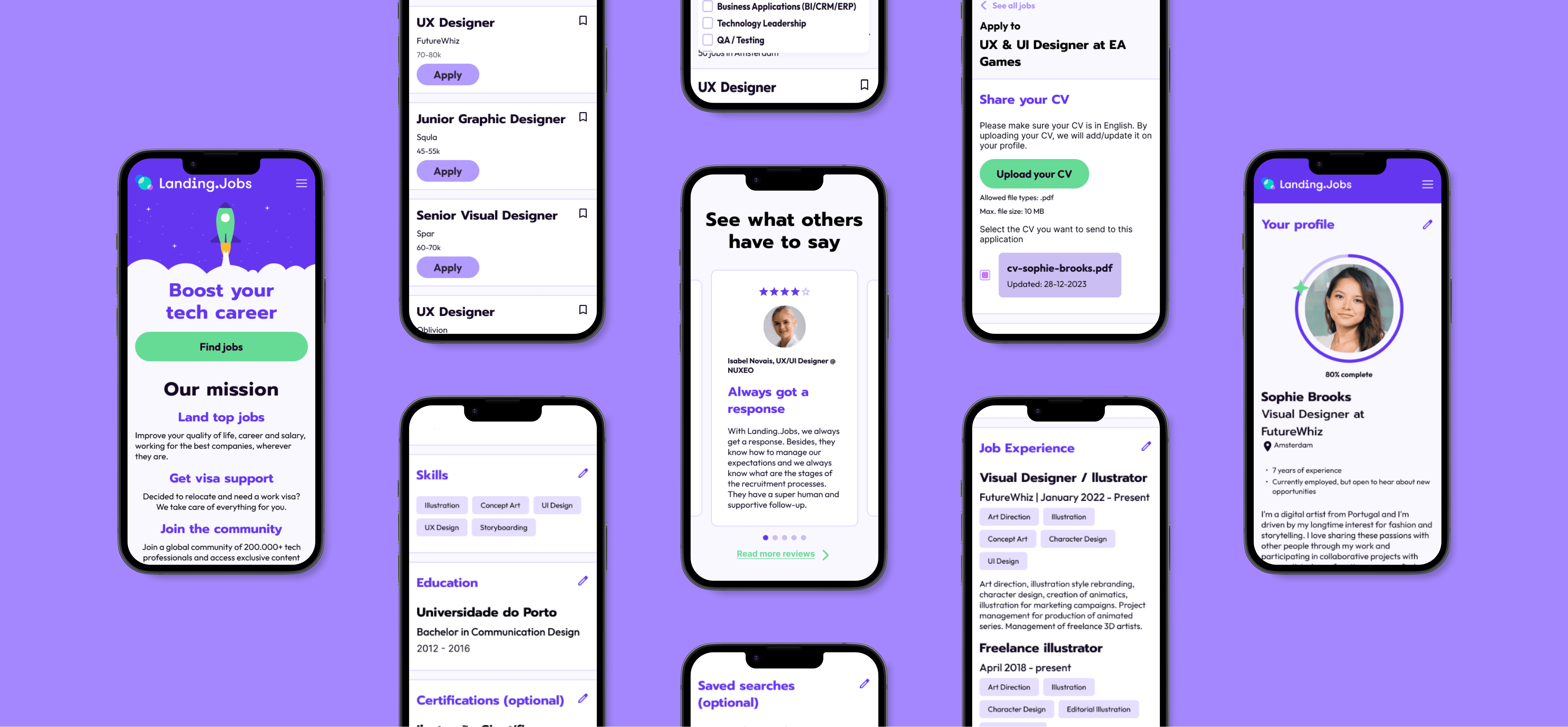
Mobile screens
I also adapted the previous screens to mobile. Although users mainly use their laptops to apply for jobs, they still use mobile to casually browse and save searches.